Ranked mode in Free Fire is no joke. You’re up against sweaty players who’ve mastered their sensitivity, and if yours is off, you’ll lose most gunfights. This guide is for anyone who wants to update their sensitivity settings to the latest meta for ranked. By the end, you’ll have a tuned sensitivity that helps you track enemies, control recoil, and win more battles. No fluff – just tested numbers that work on most devices.
Whether you’re a claw player or still using thumbs, these settings are a solid starting point. We’ll walk you through each step from resetting to default to fine-tuning your aim and scope sensitivities. You’ll also learn common mistakes that hold players back and how to avoid them. Let’s get your aim ranked-ready.
What You’ll Need
- Free Fire or Free Fire Max installed (latest version)
- A stable internet connection (ping affects aim)
- 10-15 minutes of free time in Training Grounds
- Your device’s DPI or graphics settings (we’ll adjust accordingly)
- Knowledge of your current grip style (2-finger, 3-finger, etc.)
Step 1: Reset to Default Sensitivity
Before applying new settings, you need a clean slate. Go to Settings > Sensitivity and tap “Reset” at the bottom. This removes any old tweaks that might interfere. Don’t skip this – many players forget and end up with weird values. After reset, your screen should show default numbers like 90 for General and 80 for Red Dot.
Step 2: Set General and Red Dot Sensitivity
General sensitivity controls your basic look-around speed. For ranked, you want a balance between fast flicking and controllable aim. Set General to 85-90. Red Dot sensitivity should be slightly lower – try 80-85. If you have a 120Hz screen, you can push higher; for 60Hz, stay closer to 85. Check out our pro player sensitivity settings for more advanced tweaks.
Step 3: Adjust Aim and Scope Sensitivities
Aim sensitivity affects when you ADS (aim down sights). Set it to 75-80 – this keeps your crosshair steady while strafing. For 2x scope, go 70-75; 4x scope, 60-65; Sniper scope, 50-55. Freeze and movement players might want slightly different values – see our winning sensitivity settings for those variations. Always test in Training Grounds after each change.
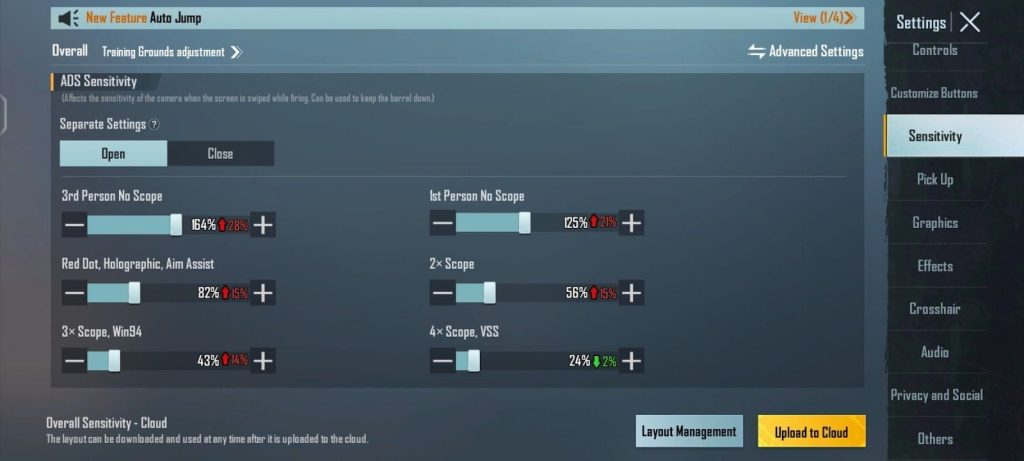
Step 4: Fine-Tune with Fire Button and Gyroscope
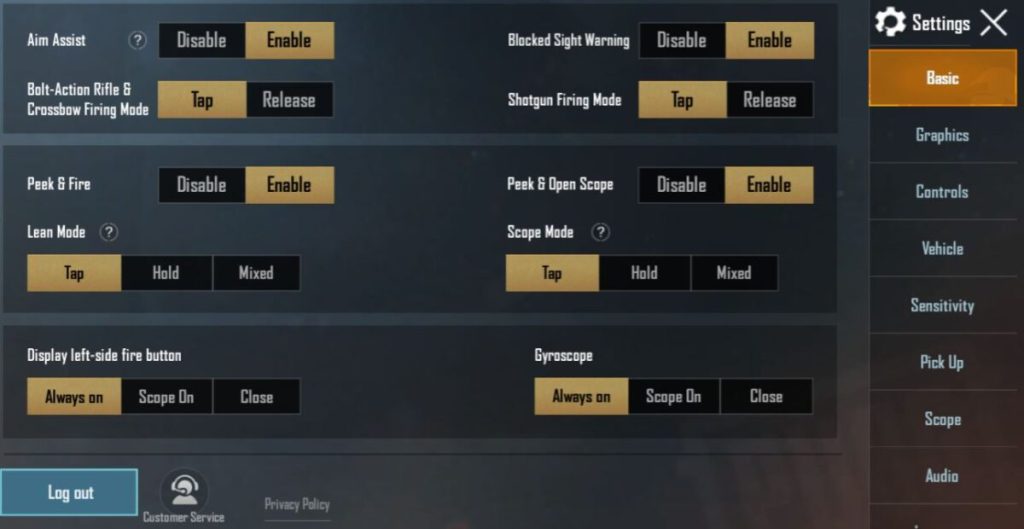
If you use gyroscope, enable it under Controls. Set gyro sensitivity to 20-30 for General and 15-20 for Red Dot. This helps with micro-adjustments. Also, ensure your fire button is large enough (80% size) and placed for quick taps. For claw players, a 2-finger setup works great – you can use our tested on Android guide to match your device.
Common Pitfalls
- Copying streamer settings without adjustment: Their sensitivity works on high-end devices with low ping. You need to adapt to your own phone’s refresh rate and DPI. Use our 2026 sensitivity settings as a reference, but always test.
- Ignoring DPI or graphics settings: High graphics can cause input lag. Set graphics to Smooth, High FPS. Low DPI devices need slightly higher sensitivity.
- Changing too many values at once: Tweak one slider at a time and play a few games. Big changes ruin muscle memory. Slowly dial in until you feel consistent.
Where to Next
Now that you’ve dialed in your sensitivity, it’s time to practice. Head to Training Grounds and practice recoil control with the M1014 and AK. If you want to share your settings with friends, learn how to change your sensitivity and export them. Keep adjusting as you climb ranks – the meta evolves, and so should your sensitivity. Good luck in ranked!



