
If you’re tired of flicking past enemies or spraying bullets into the sky, you’ve come to the right place. This guide is for every Android Free Fire player who wants a tested sensitivity setup that actually works. Whether you’re a beginner or a Grandmaster, these settings will help you lock onto targets and win more gunfights. By the end, you’ll have your own custom sensitivity profile that feels natural and consistent.
We’ve tested these values on multiple Android devices—from budget Redmi phones to flagship POCO models—so they’re reliable across the board. The tweaks here focus on balance: you’ll be fast enough to turn around but precise enough to hit headshots. Ready to upgrade your game? Let’s dive in.
What You’ll Need
- A phone running Android 6.0 or newer (Free Fire runs on most devices).
- Free Fire app installed and logged in.
- 5–10 minutes of free time to test and tweak.
- A friend for the training room (optional but helpful).
- Paper and pen or a notes app to record your settings.
Step 1: Access the Sensitivity Menu
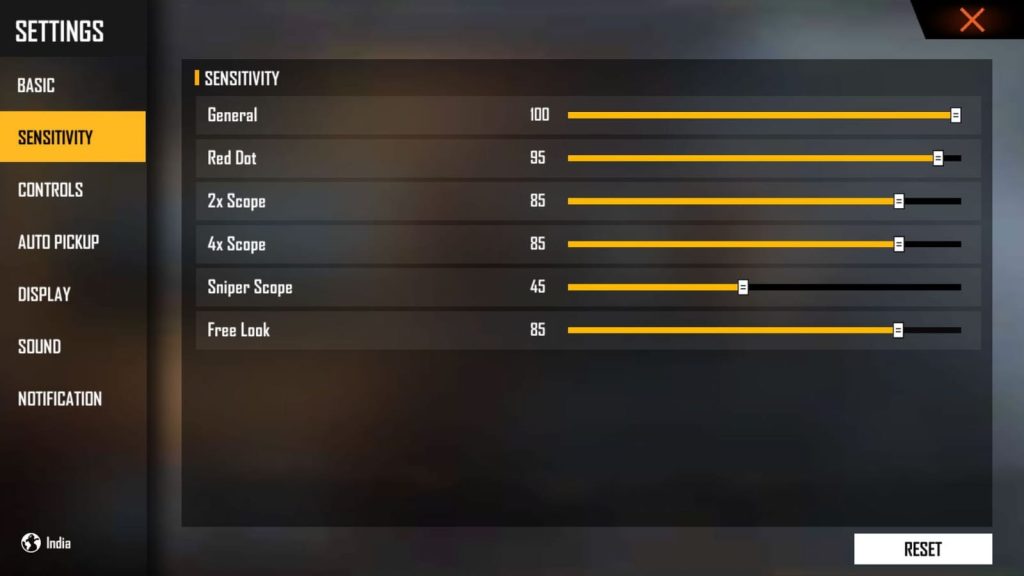
Open Free Fire on your Android phone. Tap the gear icon in the top-right corner of the lobby to open Settings. Then select the “Sensitivity” tab. Here you’ll see sliders for General, Red Dot, 2x Scope, 4x Scope, Sniper Scope, and Free Look. Take a screenshot of your current values so you can revert if needed.
Step 2: Set General Sensitivity
General Sensitivity controls how fast your view moves when you drag your finger anywhere on the screen (without ADS). Start at 85–90 for most Android phones. If you’re using a device with a high refresh rate, you might prefer 90–95. For older phones with lower touch sampling, try 100. This is the base for all flicks and 360 turns. If you rely on agile movement, check out our guide on free fire sensitivity settings for movement players which dives deeper into high sensitivity builds.
Step 3: Configure Red Dot and Scope Sensitivities
Now set your ADS sensitivities. For Red Dot (and 1x scopes), use 65–75. This keeps recoil control easy while allowing smooth tracking. For 2x Scope, drop to 55–65. For 4x Scope, use 40–50. And for Sniper Scope, 30–40 gives you steady aim. These values work well with tested free fire sensitivity settings guide which emphasizes consistency across ranges. If you’re a POCO user, our best free fire sensitivity settings for poco provides device-specific recommendations.
Step 4: Adjust Fire Button Size and Position
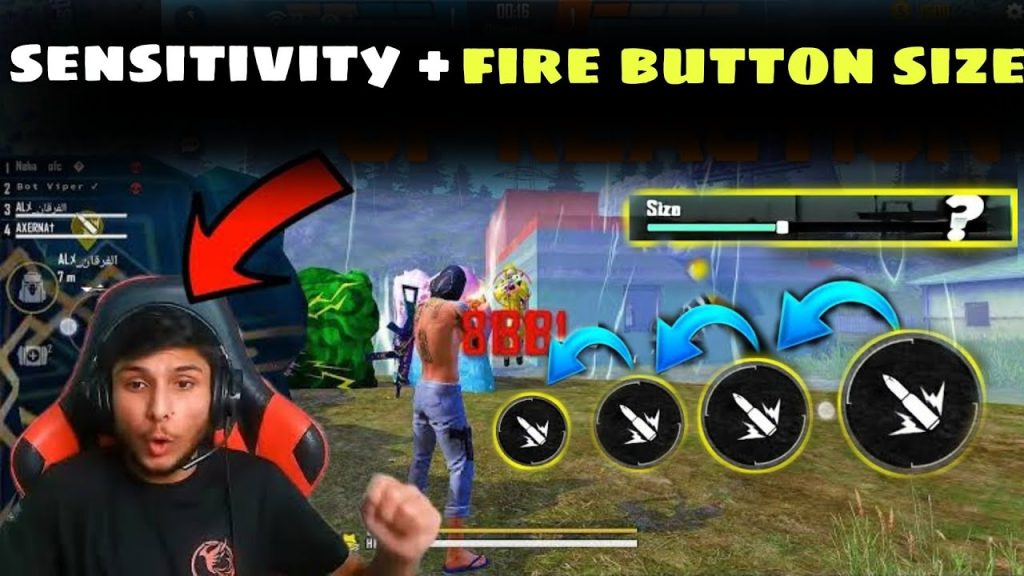
Head to the “Controls” tab and tap on the fire button. Increase its size to 80% of the maximum and place it near the bottom-right corner, slightly above the edge. This helps you tap rapidly without moving your aim. Also, enable “Right Fire” (the secondary fire button) for easier sprays. A comfortable button layout is crucial—if you’re on a budget device, our free fire sensitivity settings for old devices recommend a bigger fire button to compensate for slower touch response.
Step 5: Test Your Settings in Training Ground
Enter Training Ground and pick a weapon. Stand about 10 meters from a target and fire a full magazine while keeping your crosshair down. If your aim rises too much, lower your Red Dot sensitivity by 5. If you can’t track a moving target, increase General sensitivity by 3. Repeat until you can spray an entire mag into a small area. Once satisfied, save your settings by tapping the share icon and copying them to a file. Follow our guide on how to save free fire sensitivity settings to back up your profile safely.
Common Pitfalls
- Sensitivity too high – You’ll over-flick and miss easy shots. If that happens, reduce General by 5–10 and retest.
- Ignoring DPI settings – Your phone’s DPI affects how sensitivity feels. Keep the in-game DPI slider (if available) at default 100 unless you know what you’re doing.
- Not adjusting for scope zoom – Using the same sensitivity for all scopes ruins your muscle memory. Always lower sensitivity as zoom increases.
Where to Next
Once you’ve dialed in these settings, jump into ranked mode and practice. Remember that perfect aim takes time—you’ll need to play at least 10–15 matches to truly adapt. For more advanced tweaks, check out our free fire sensitivity settings for ranked mode guide, which covers how to adjust for high-stakes gameplay. Also, if you want to save multiple profiles, our backup guide linked above has got you covered. Now go dominate the battlefield!



