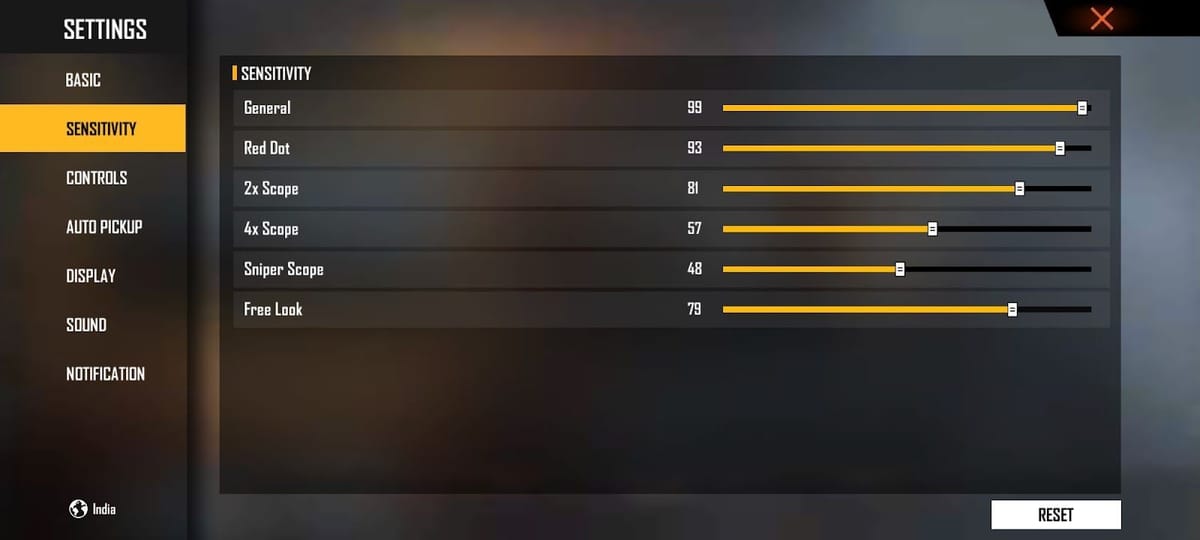
If you’ve been sliding those Free Fire sensitivity bars back and forth without getting any closer to laser aim, you’re not alone. Most players waste hours on random tweaks that never click. This guide is for you — whether you’re a rusher, a camper, or a sniper. By the end, you’ll know how to use a Free Fire sensitivity settings generator to get a custom set of numbers that actually fit your playstyle and device. No more guesswork, just clean headshots.
A sensitivity generator takes the hassle out of tuning. You answer a few questions about your device, playstyle, and preferred weapons, and it spits out a tailored profile. Think of it as a cheat sheet that adapts to you. Ready to stop overthinking and start winning? Let’s dive in.
What You’ll Need
- A phone or tablet with Free Fire installed
- Stable internet connection (to access the generator and test)
- A few minutes of focused time in the Training Ground
- A starting point: know if you’re aggressive, passive, or hybrid
Step 1: Identify Your Playstyle
Before using any generator, you need to know what kind of player you are. Generators ask about your style because sensitivity differs drastically between rushes and snipes. Are you the type to slide into close combat with an MP40, or do you prefer picking enemies off from a distance with a Woodpecker? If you’re unsure, think about the weapons you use most. For example, if you rush a lot, you’ll want higher general and red dot sensitivity. That’s where our aggressive sensitivity settings guide can help you match your style.
Step 2: Choose a Sensitivity Generator Tool
Not all generators are equal. Some are simple calculators, others are more advanced with cloud profiles. Look for a tool that asks for your device RAM, DPI (if you use an app like GFX Tool), and preferred scope. A good generator will also let you input your current sensitivity as a starting point. We recommend using the free sensitivity optimizer on our site — it’s built for Free Fire and gives you a baseline you can fine-tune later.

Step 3: Input Your Preferences
Fill out the generator form carefully. Key fields usually include: Device RAM (2GB, 3GB, 4GB, 6GB+), preferred weapon category (AR, SMG, sniper), and playstyle (aggressive, passive, hybrid). Some generators also let you pick a pro player preset. If you’re a sniper lover, check out our sniper recoil sensitivity guide to understand what values work best. Don’t rush this step — the more accurate your inputs, the better the output.
Step 4: Apply the Generated Sensitivity Settings
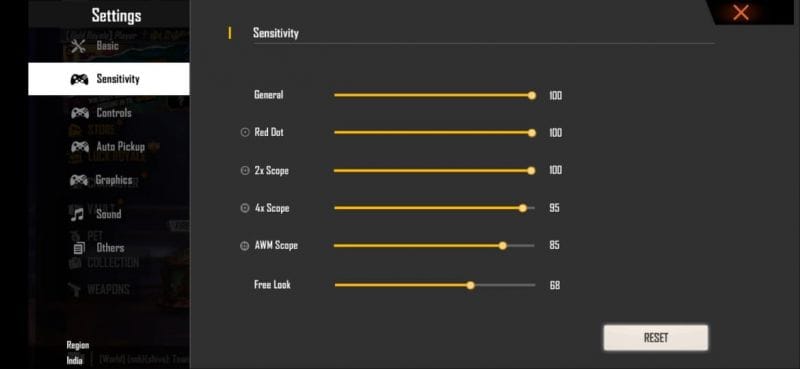
Once the generator gives you numbers, open Free Fire and go to Settings > Sensitivity. Copy the values exactly as generated — even if they feel weird at first. Be careful with the DPI and fire button sensitivity fields; they’re easy to miss. If you’re using a Redmi or Black Shark phone, you may want to adjust the dead zone separately. For headshot-focused players, we have a dedicated guide on the best sensitivity for headshots that complements the generator output.

Step 5: Test and Refine in Training Ground
Jump into the Training Ground immediately. Practice tracking moving targets and snapping to heads. Don’t jump into a match right away — you need to build muscle memory first. Shoot at the dummy at different ranges. If something feels off, make minor adjustments (±2 or 3 points) and test again. Our guide on how to test sensitivity explains this process in more detail. Also, for those who struggle keeping crosshairs on a running enemy, check out our sensitivity for tracking enemies section.
Common Pitfalls
- Copying a pro’s settings blindly: Pros have different devices and muscle memory. Their numbers might not work on your 2GB RAM phone. Use the generator tailored to your specs instead.
- Ignoring your device’s RAM: Low RAM devices need lower sensitivity to avoid frame drops. Generators that ask for RAM are your friend. Check out our free fire sensitivity settings for 2gb ram guide if your phone is on the lower end.
- Skipping the test phase: Applying generated numbers and immediately jumping into ranked is a recipe for frustration. Spend at least 10 minutes in Training Ground to adapt. Micro-adjustments make all the difference.
Where to Next
Now that you have a solid baseline, the real fun begins. Keep tweaking as you improve. Try different scope sensitivities for different situations — our 2x scope guide can help you get laser aim for mid-range fights. And remember, sensitivity is personal; what works for one player may not work for another. But with this generator method, you’re already ahead of the crowd. Go drop a 20-bomb!



