If you’re tired of missing sniper shots because your crosshair jumps all over the place, you’re in the right place. This guide is for Free Fire players who want to tighten their spray and land those clean headshots. By the end, you’ll have a personalized sensitivity profile that helps you control sniper recoil like a pro.
We’ll walk through each sensitivity setting that affects sniping – from general aim to scope magnification – and give you a solid starting point to tweak from. Whether you play with a thumb or claw grip, these steps work for everyone.
What You’ll Need
- Free Fire installed on your phone or tablet
- A stable internet connection
- 30 minutes of uninterrupted practice time
- Optional: A training mode partner or aim trainer app
Step 1: Access the Sensitivity Settings
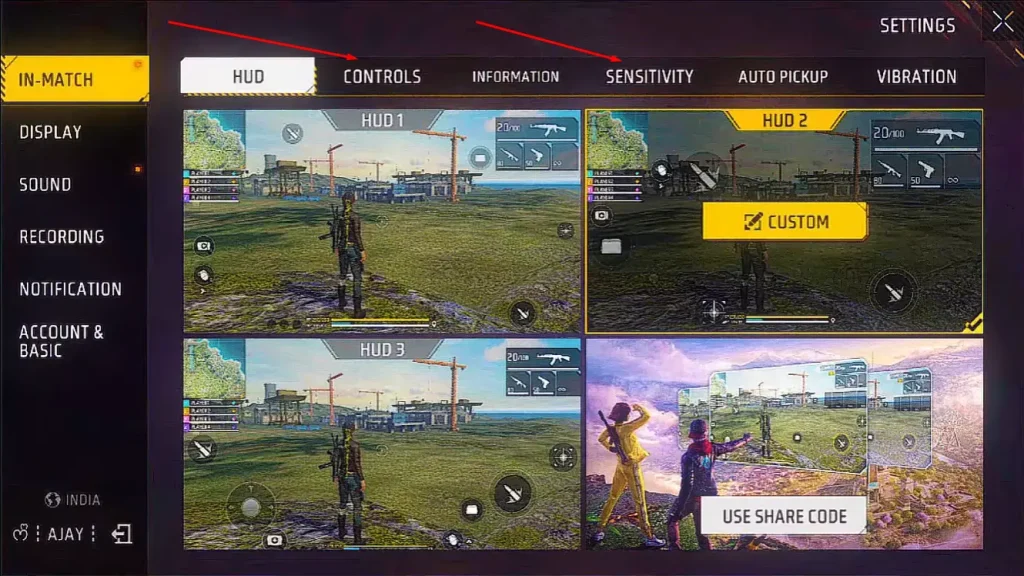
Open Free Fire and tap the gear icon on the main lobby screen. Go to the ‘Controls’ tab, then tap ‘Sensitivity’ on the left side. You’ll see sliders for General, Red Dot, 2x Scope, 4x Scope, Sniper Scope, and Free Look. We’ll focus on the ones that affect sniping.
Make sure you’re in the ‘Advanced’ mode (toggle at the top) so you can adjust individual scope sensitivities. This is crucial for snipers because you want different speeds for different zooms.
Step 2: Set Your General Sensitivity Base
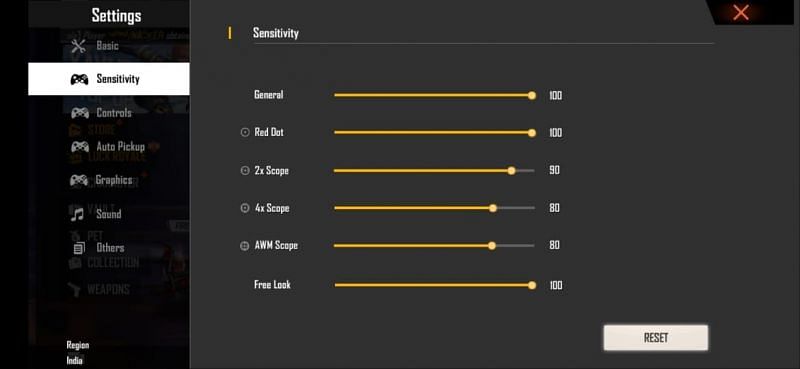
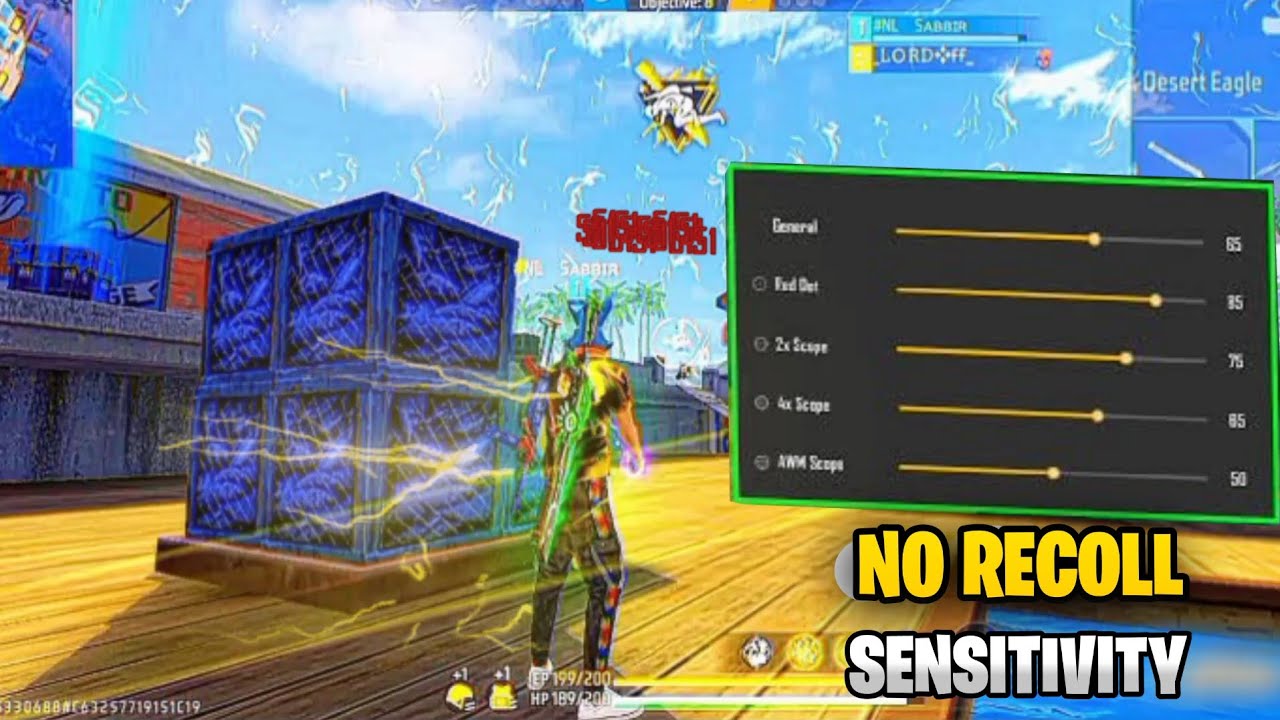
The General sensitivity controls how fast your camera moves when not scoped in. Start with a value around 70-80. This is high enough to scan for enemies quickly but low enough to maintain some control. For sniping, this matters when you’re flicking to scope in.
Turn off ‘Auto-aim’ if you haven’t – it can mess with your sniper flicks. Keep ‘Gyroscope’ off unless you’re used to tilting your phone.
Step 3: Adjust Sniper Scope Sensitivity
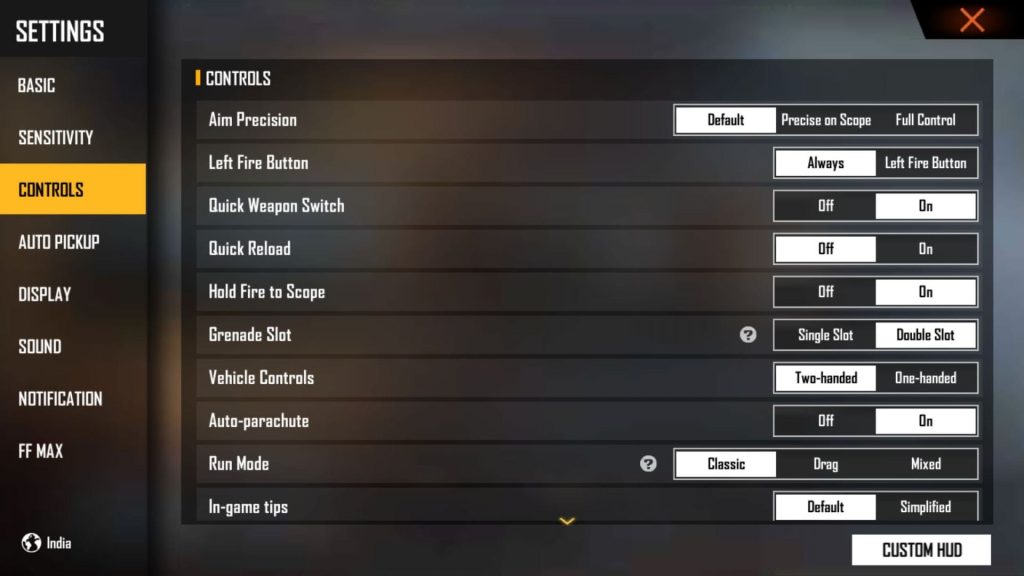
This is the most important slider for controlling sniper recoil. Set it to 25-35. Lower sensitivity means your crosshair moves slower when scoped, making micro-adjustments easier. A common mistake is setting it too high – you’ll over-aim and miss.
Also adjust ‘4x Scope’ if you use snipers that have a 4x zoom. Keep it between 30-40. For the ‘2x’ and ‘Red Dot’, you can leave them at default (around 50) since they’re not used for sniping.
Step 4: Fine-Tune with Free Look Sensitivity
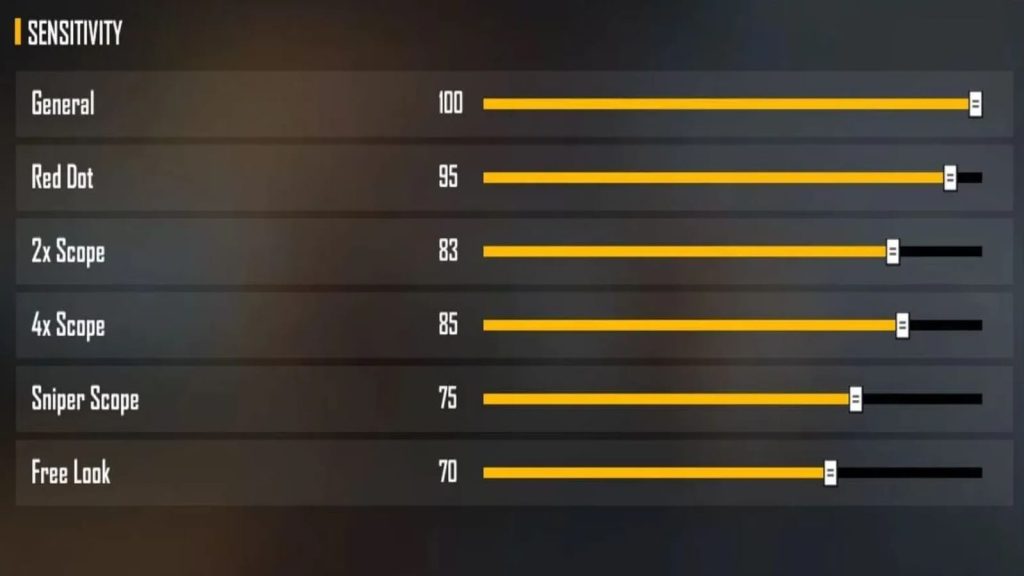
Free Look sensitivity controls how fast you look around while running or scoped. Set this to 50-60. It helps you spot enemies without changing your movement direction. For snipers, this is useful when you’re peek-and-shoot.
Test this by scoping in with a sniper and dragging your finger slowly. The crosshair should move smoothly without jitter. If it feels twitchy, lower it by 5 points.
Step 5: Test in Training Ground
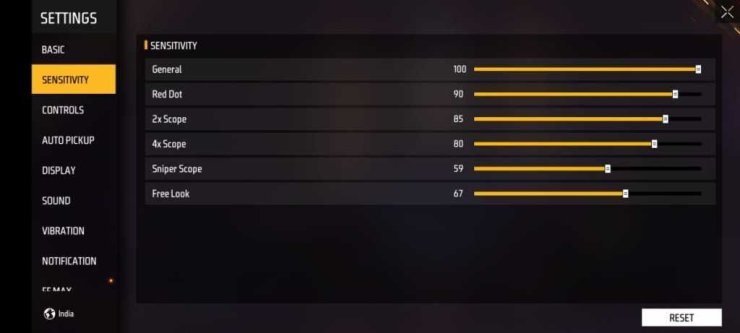
Go to the Training Ground and pick a sniper like AWM or Kar98k. Shoot at stationary targets from 50-100 meters. Pay attention to how much the crosshair jumps after each shot. The goal is to have the recoil pull the crosshair up slightly but predictably, so you can quickly re-aim.
If the crosshair flies off the target, lower your Sniper Scope sensitivity. If you can’t keep up with a moving target, raise it a bit. Repeat until you can land 8 out of 10 shots on a static dummy.
Step 6: Practice Recoil Control with Drag Shots
Sniper recoil in Free Fire is vertical – after firing, your scope lifts up. To counter this, drag your aim down slightly as you shoot. This is called a drag shot. Practice this by aiming at a target’s chest, then very quickly pulling down while tapping fire. The bullet should land near the head.
This technique works best if your Sniper Scope sensitivity is low enough that you can control the pull. If you find yourself dragging too much or too little, adjust the sensitivity in increments of 2.
Common Pitfalls
- Setting sniper sensitivity too high – leads to over-aim and missed shots. Keep it under 40.
- Ignoring scope-specific settings – only adjusting general sensitivity. You must adjust each scope separately.
- Not practicing enough – sensitivity changes need muscle memory. Spend at least 15 minutes per session.
Where to Next
Now that your sniper recoil is under control, start working on your quick-scoping and no-scoping. Check out our guide on ‘Free Fire Aim Assist Settings’ to further sharpen your accuracy. Or head into Ranked mode and put your new settings to the test. See you on the battlefield!