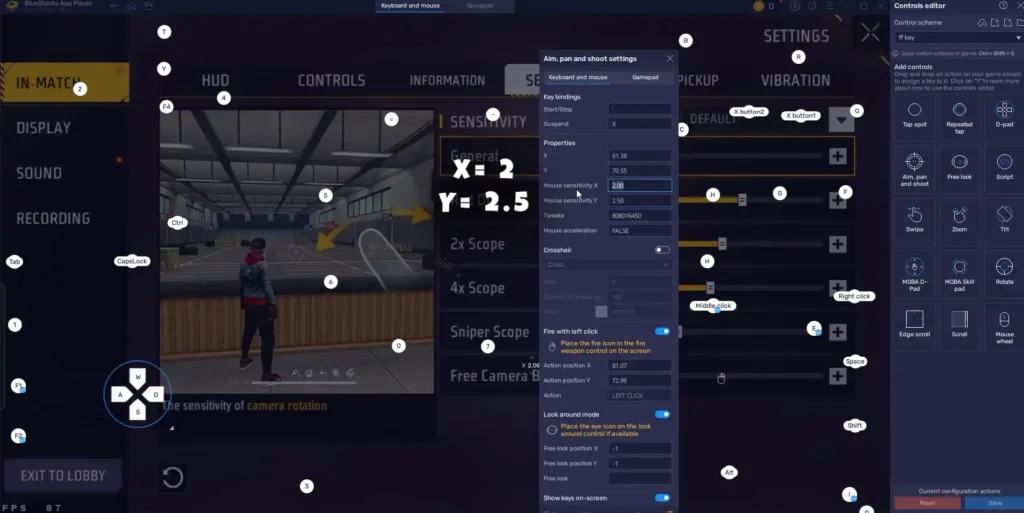
You know the drill: you drop into the plane, loot up, and then get smoked by a player who seems to have laser-like aim. More often than not, the difference isn’t skill—it’s sensitivity settings. Whether you’re a seasoned veteran or a frustrated newbie, dialing in your sensitivity can turn potato aim into headshot machines. This guide is for anyone who wants to stop guessing and start tweaking. By the end, you’ll have a custom sensitivity profile that fits your playstyle like a glove.
We’ll start with the basics of the sensitivity menu, then walk you through a proven method to find your sweet spot. You won’t need any third-party apps or hacks—just your phone, some patience, and a few minutes in the training ground. If you’re looking for a one-size-fits-all solution, check out the trusted free fire sensitivity settings from the community, but remember: your perfect setting is personal. Let’s build yours.
What You’ll Need
- A device with Free Fire installed (Android/iOS/emulator)
- Stable internet connection (ping under 100 ms ideal)
- At least 20 minutes of uninterrupted practice time
- A notebook or note app to record your settings
- Optional: a friend to help test in custom rooms
Step 1: Understand the Sensitivity Sliders
Before you touch anything, open the settings (gear icon > Sensitivity). Free Fire has four main sliders: General, Red Dot, 2x Scope, and 4x Scope. Plus, there’s a separate Camera Sensitivity for each. General controls everything from hip-fire to movement. Red Dot and scopes affect only when you’re aiming down sights. Your goal is to find a balance where you can quickly turn 180° and still land precise shots. If you’re new, start with a mid-range value for all—say, 85 for General and 75 for scopes. The best free fire sensitivity settings for pro players often hover around 90-100, but don’t copy them blindly.
Step 2: Set Your Base Values
Go to the training ground (Lobby > Training). Pick any weapon—preferably an assault rifle like M4A1 or AK. Start with General Camera Sensitivity at 85, Red Dot at 75, 2x at 70, 4x at 65. Now, test how fast you can turn. Stand still and try to do a quick 180° flick. If you overshoot, lower the sensitivity by 5. If you can’t turn fast enough, increase it. Repeat until a 180° turn feels comfortable. Next, practice tracking a moving target. Adjust until your crosshair stays on target without jittering. This is your baseline. Write it down.
Step 3: Fine-Tune with Scope Sensitivity
Now equip a scope—red dot first. Shoot at dummies from medium range. If your aim is shaky, lower Red Dot sensitivity by 5. If you can’t track a strafing dummy, raise it. Do the same for 2x and 4x scopes. Remember, higher sensitivity means faster but less stable aim. If you prefer sniping, use free fire sensitivity settings for sniper style as a reference but adjust to your comfort. For close-range rushers, focus on General and Red Dot. For long range, prioritize 2x and 4x. Once you’re happy, move to the next step.
Step 4: Test in a Real Match
Play a Classic or Clash Squad match with your new settings. Don’t expect perfection on the first drop. After each match, tweak one slider at a time—never change everything at once. If you’re missing shots up close, bump General up by 5. If you’re overscoping in long-range fights, lower your scope sensitivity. Keep a record of what works. For additional guidance, refer to the latest free fire sensitivity settings for headshot from top players, but remember: your thumb size and grip matter. You can also use a free fire sensitivity settings calculator to get a starting point based on your device.
Common Pitfalls
- Changing too many sliders at once: You won’t know what fixed or broke your aim. Adjust one slider per match.
- Copying pro settings without adaptation: Pros often use high sensitivity with gyroscope or specific phone sizes. Your device and grip are different. Start with generic trusted free fire sensitivity settings and tweak from there.
- Ignoring your firing mode: Sensitivity affects hip-fire, aim down sights, and movement differently. Make sure you test all three. Also, proximity to the screen matters—if you play with two thumbs, consider free fire sensitivity settings for movement control.
Finding your perfect sensitivity is a journey, not a destination. Keep tweaking as you improve.
Free Fire Tip
Where to Next
Now that you’ve got your sensitivity dialed in, it’s time to practice deliberately. Head to the training ground daily to warm up. Explore other guides like how to use gyroscope, HUD layout optimization, and advanced movement techniques. Remember, sensitivity is just one piece of the puzzle—combine it with good positioning and map awareness, and you’ll climb ranks in no time.



