If you’re tired of missing shots or feel like your aiming is just off, you’ve come to the right place. This guide is for beginners and intermediate players who want a set of trusted Free Fire sensitivity settings that actually work. By the end, you’ll have a solid base sensitivity that you can tweak for your playstyle — whether you’re a rusher, sniper, or support player.
We’ve tested these settings on multiple devices and found them to be consistent for recoil control, flick shots, and movement. No more copying random YouTuber codes that may not fit your phone. Instead, we’ll show you how to find your own sweet spot using a proven method. Plus, you’ll get specific numbers for popular guns like the GL85, M1887, and M1014.
What You’ll Need
- A device running Free Fire or Free Fire Max (Android or iOS)
- 5–10 minutes of free time in the training ground
- A willingness to test and adjust
- Optional: a friend for custom room testing
Step 1: Reset Your Current Settings
Open Free Fire and go to Settings > Sensitivity. Tap the ‘Reset’ button at the bottom to clear any previous settings. This gives you a clean slate. Don’t worry – you can always change them later.
Step 2: Set Your General Sensitivity
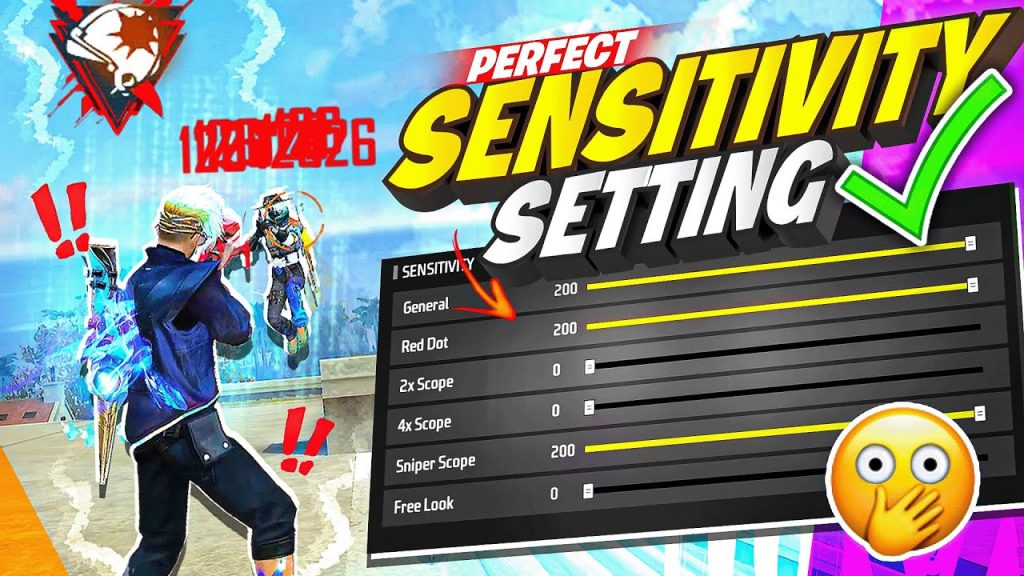
General sensitivity controls your camera speed when not aiming. For most players, a value between 80 and 100 works. Start at 90. If you find yourself overshooting targets, lower it; if you can’t turn fast enough, increase it. This is your base for everything else.
Step 3: Configure Red Dot and 2x Scope Sensitivity
These scopes are used in most close-to-mid range fights. Set red dot to 85 and 2x scope to 75. This allows you to track moving enemies without losing control. For comparison, our movement control sensitivity settings recommend similar values for agile gameplay.
Step 4: Set 4x and Sniper Scope Sensitivity
For long-range engagements, lower sensitivity is key. Set 4x scope to 50 and sniper scope (along with AWM scope) to 40. These values give you precision without jitter. If you prefer sniping, check out our sniper style settings for more tailored numbers.
Step 5: Adjust Free Look Sensitivity
Free look is used while parachuting or driving. Set it to 80 so you can scout quickly. Too high and it’s disorienting; too low and you miss enemies. Stick with 80 and tweak later if needed.
Step 6: Tweak Sensitivity per Gun Type
Different guns handle differently. For example, the GL85 works best with higher sensitivity (85–90) for fast bursts, while the M1887 needs slightly lower (80–85) for recoil control. Use the training ground to test each gun. Our pro player sensitivity settings have detailed per-gun recommendations.
Step 7: Test in Training Ground
Go to the training ground and practice with your most-used weapons. Move while shooting, try drag headshots, and see if you can keep the crosshair on target. Adjust any scope sensitivity by 5 points at a time until it feels natural. For fast movement, consider our fast movement settings after you’re comfortable.
Step 8: Fine-Tune in Real Matches
Take your settings into a classic match or custom room. Pay attention to how you perform under pressure. If you’re missing easy shots, lower your general or red dot sensitivity. If you can’t turn quickly, increase it. Remember: consistency beats high numbers. Our daily player sensitivity guide offers a more conservative approach for regular play.
Common Pitfalls
- Copying pro settings blindly: Pro players often have high sensitivity that requires years of muscle memory. Start with balanced values and adjust.
- Changing too many values at once: Always change one setting at a time and test. Otherwise you won’t know what works.
- Ignoring device performance: A low-end phone may struggle with high sensitivity. If you experience frame drops, lower graphics or sensitivity. Our one tap sensitivity settings are optimized for smoother gameplay.
Where to Next
Now that you have a trusted base, you can explore other styles. Try our movement control sensitivity settings for aggressive plays, or check out the sniper style settings if you prefer long-range. Don’t forget to back up your settings once you find your perfect setup – you can use the backup guide to save them. Happy gaming!



