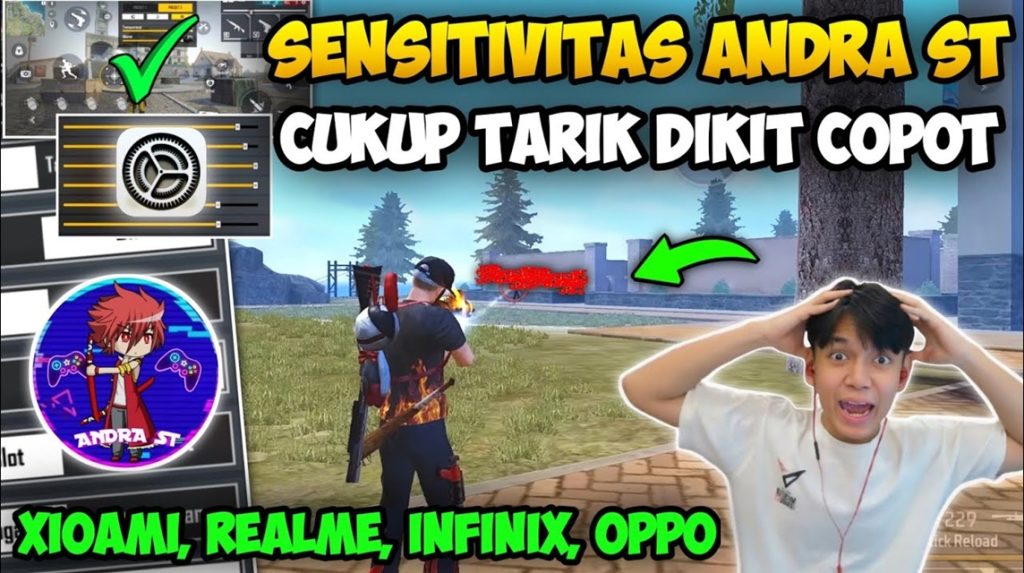
If you’re tired of missing those long-range AWM shots or struggling to track a running enemy through a 4x scope, this guide is for you. I’m going to walk you through the exact sensitivity settings that turn you into a sniper machine in Free Fire. Whether you’re a beginner or an intermediate player, by the end of this tutorial you’ll have a custom sensitivity profile that feels natural and helps you land headshots consistently.
We’ll start from the basics – accessing the settings menu – and then tweak each slider one by one. You’ll learn why a lower general sensitivity helps with precision, why your red dot and scope sensitivities need to be higher, and how to test everything in training mode before jumping into a ranked match. Let’s get those one-tap kills.
What You’ll Need
- A device running Free Fire (Android or iOS) – make sure it’s updated to the latest version.
- At least 30 minutes of uninterrupted practice time.
- Access to the Free Fire training grounds (tap ‘Practice’ on the main menu).
- A calm mindset – sensitivity tuning is trial and error.
- Optional: a friend to help test in a custom room.
Step 1: Access the Sensitivity Settings
Open Free Fire and go to the main lobby. Tap the gear icon (Settings) in the top-right corner, then select the ‘Sensitivity’ tab. You’ll see a list of sliders: General, Red Dot, 2x Scope, 4x Scope, Sniper Scope, and Free Look. Don’t worry – we’ll only touch a few of them for sniping.
Step 2: Lower the General Sensitivity
For sniping, a lower general sensitivity gives you more control when aiming down sights. Set the General slider to 70-80 if you’re on a phone, or 85-95 for tablets. This prevents your crosshair from flying past an enemy when you drag to aim. Keep in mind that this also affects hip-fire movement, so test it in the training grounds.
Step 3: Adjust Red Dot and Scope Sensitivity Higher
Unlike general sensitivity, you want your scope sensitivities higher so you can quickly flick to an enemy’s head. Set Red Dot to 90-100, 2x Scope to 85-95, 4x Scope to 80-90, and Sniper Scope to 75-85. The exact numbers depend on your device’s touch sampling rate. If you have a high touch sampling phone, you can push these a bit higher. For more on that, check out the free fire sensitivity settings for high touch sampling guide. These higher values allow you to turn faster while scoped, crucial for tracking moving targets.
Step 4: Fine-Tune in Training Mode
Enter the training grounds and grab a sniper rifle (AWM or Kar98k). Practice scoping in on dummy targets and doing quick flicks. If you’re overshooting (crosshair goes past the target), lower the corresponding scope sensitivity by 5 points. If you’re undershooting (can’t reach the target), increase it. Repeat until you can consistently hit moving dummies. Also test with a red dot for close-range sniping. This is the same process used by pros; you can compare your results with the best free fire sensitivity settings for pro players.
Step 5: Save Your Settings and Test in a Real Match
Once you’re satisfied in training, save your settings (they auto-save) and hop into a classic or ranked match. Play a few games focusing on sniping. If something feels off, go back to training and adjust. Don’t change more than 5 points at a time – small tweaks make a big difference. For daily grinding, you can also refer to our free fire sensitivity settings for daily players for a more balanced setup.
Common Pitfalls
- Setting general sensitivity too high – This makes precise aim nearly impossible. Keep it below 85 for most devices.
- Ignoring the difference between red dot and scope sensitivities – They serve different ranges. Don’t set them all the same value.
- Not testing in actual matches – Training mode feels different from real combat. Always play a few games before finalizing.
The perfect sensitivity is the one that makes you forget you ever changed it. Trust your muscle memory and adjust slowly.
Free Fire Pro Player
And there you have it – your personalized sniper sensitivity settings. Remember, this is a starting point; you may need to fine-tune as you get more comfortable. For more community-tested values, browse the free fire sensitivity settings community. If you’re after one-tap headshots, see our free fire max sensitivity settings for one tap. And always have fun – sniping in Free Fire is incredibly satisfying when your settings are dialed in.
Where to Next
Now that you’ve got your sniper settings locked, why not improve your overall gameplay? Check out the latest free fire sensitivity settings for fast movement to increase your survivability in close quarters. Or explore the trusted free fire sensitivity settings guide for a comprehensive approach. Happy hunting!



