You want better aim and smoother movement in Free Fire, but copying random settings from YouTube doesn’t always work. That’s where the community comes in. Thousands of players share their exact sensitivity settings on Reddit, Discord, and forums — tested on real devices and scenarios. This guide will show you how to find those settings, test them, and tweak them until they feel perfect for your playstyle. By the end, you’ll have a personalized sensitivity setup that fits your phone and your reflexes, whether you’re after pro player sensitivity or fast movement settings.
The Free Fire community is massive and constantly updating. Settings that work for a pro on a high-end iPhone might not work on your mid-range Android. But with the right approach, you can borrow the best from others and adapt it. We’ll walk through five steps: finding settings, testing them, adjusting, and even sharing your own. And if you get stuck, there’s always a trusted guide or a helpful Reddit thread to back you up.
What You’ll Need
- Free Fire or Free Fire Max installed on your device
- A stable internet connection
- Access to a community platform (Reddit, Discord, or a gaming forum)
- At least 15 minutes free to test settings in training mode
- A notepad or notes app to save settings you want to try
Step 1: Join the Free Fire Sensitivity Community
Start by joining the places where players share their settings. The most active communities are the Free Fire subreddit, the official Free Fire Discord server, and dedicated gaming forums. Search for “Free Fire sensitivity” on Reddit, or look for threads with “code share” on Discord. You’ll find screenshots of settings, video clips, and sometimes even configuration files for emulator players. Don’t forget to check the forum posts too — they often have stickied threads with curated settings.
Step 2: Find Settings That Match Your Device and Playstyle
Not all settings are equal. Look for posts that mention your phone model (like “Redmi Note 10” or “iPhone 13”) and your preferred playstyle (e.g., “rush” or “support”). Reddit sensitivity settings often include DPI info and in-game sensitivity sliders. Copy them exactly as they appear — note the decimal values. If you see a setting for “auto headshot” with a specific phone, it might work for you too.
Step 3: Test the Settings in Training Mode
Open Free Fire and go to Training Grounds. Apply the settings you found — manually adjust each slider to match. Then practice: aim at targets, flick to moving dummies, and try different guns. If you feel too slow or too fast, note the difference. Do this for at least 10 minutes. Some settings won’t feel natural at first, but give them a chance. Compare with your current setup.
Step 4: Tweak the Settings to Your Device and Comfort
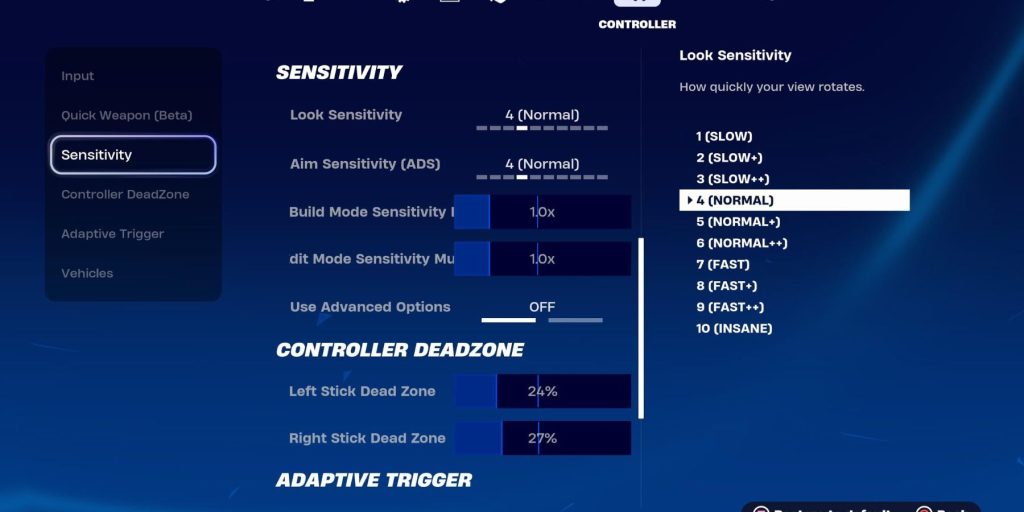
No two phones are the same. Even if you use the same model, your touch response may differ. Start by adjusting the general and red dot sensitivities by ±5 increments. If your aim overshoots, lower the value; if it feels sluggish, raise it. For movement, the layout matters too. Many players combine community sensitivity with their own key mapping. If you play with high touch sampling rate (like 240Hz), you might need lower sensitivity to avoid jitter.
Step 5: Share Your Settings and Learn from Feedback
Once you’ve dialed in a setup that works, give back to the community. Post your settings on the same forums where you found them — include your phone model, touch sampling rate, and any special tweaks. This helps others and builds your reputation. Remember to regularly backup settings so you don’t lose them after an update. Also, keep an eye on replies; people might suggest improvements.
Common Pitfalls
- Blindly copying pro settings without adjusting for your device can mess up your aim. Always test first.
- Changing sensitivity too often prevents muscle memory. Stick with one set for at least a few days.
- Ignoring the impact of DPI and touch sampling rate. Two phones with the same sensitivity number can feel completely different.
Where to Next
Now that you’re part of the community, keep exploring. Try specific setups like one tap headshot settings for aggressive play or high touch sampling fine-tuning if your device supports it. And remember: the best sensitivity is the one that feels right for you. Stay active, keep tweaking, and you’ll climb the ranks in no time.



