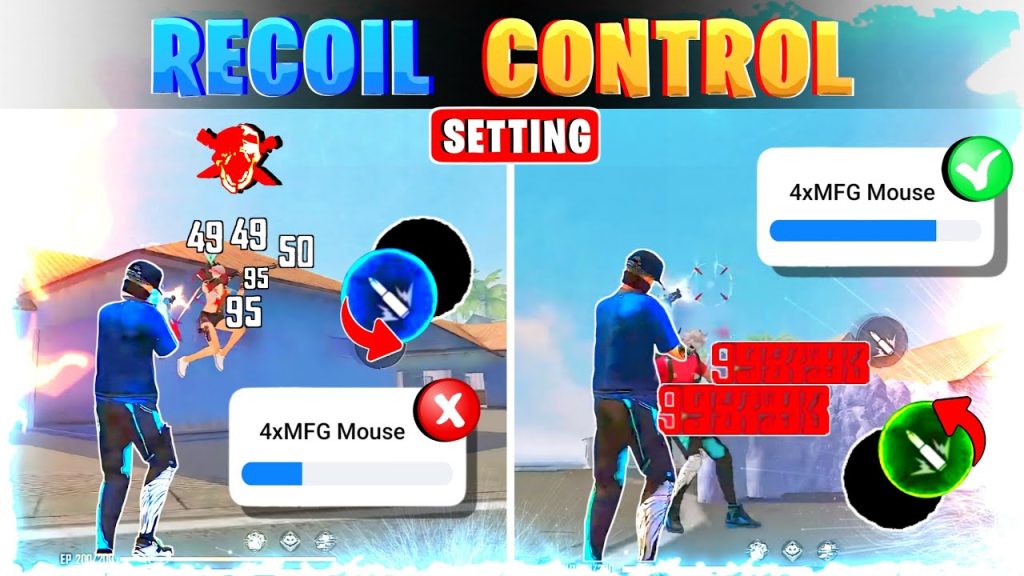
Are you tired of your crosshair jumping all over the place when you fire? Whether you’re a casual player or grinding rank, recoil control can make or break your fights. This guide is for anyone who wants smoother, more controlled sprays in Free Fire. We’ll walk you through the exact sensitivity settings that pros use to keep their shots on target, even at long range.
By the end of this tutorial, you’ll have a customized sensitivity profile that reduces weapon shake and helps you stay on target. You’ll also learn how to fine-tune these settings in the training ground so they feel perfect for your playstyle. No more blaming the game—get ready to beam enemies with confidence.
What You’ll Need
- Free Fire or Free Fire Max installed on your phone or tablet
- 10–15 minutes of uninterrupted time to test settings
- A stable internet connection (ping under 100 ms recommended)
- Optional: A gyroscope-enabled device if you want to use gyro aiming
Step 1: Open Sensitivity Settings
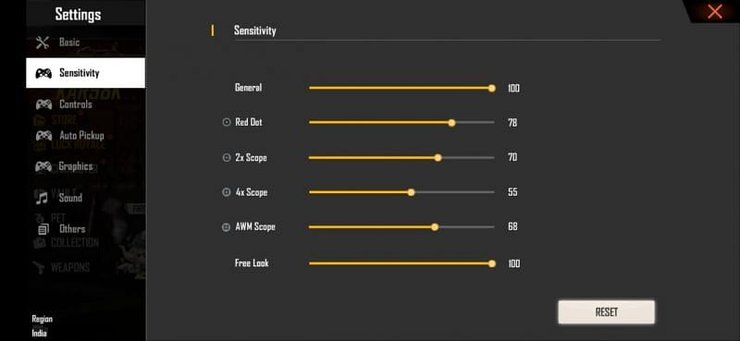
Launch Free Fire and head to the main lobby. Tap the gear icon to open Settings, then select the ‘Sensitivity’ tab. Here you’ll see sliders for General, Red Dot, 2x Scope, 4x Scope, Sniper Scope, and Free Look. If you’re on a tablet, you may want to check out our dedicated guide for smooth gameplay settings on larger screens.
Step 2: Set General Sensitivity
General Sensitivity controls your aim when not using a scope. For smooth recoil, start at 90–100. This might feel high, but it allows quick flicks while still being controllable. If you’re coming from a low sensitivity, increase gradually. Remember, your goal is to minimize the vertical jump of your crosshair. Many top players use values between 85 and 95. For a more aggressive playstyle, try 100 and adjust later.
Step 3: Set Red Dot and 2x Scope Sensitivity
Red Dot and 2x scope are your go-to for mid-range fights. Set both between 70–85. This gives you enough speed to track moving enemies without overshooting. If you notice your aim shaking too much, lower it by 5 points. For high-recoil weapons like the M1887 or SCAR, stick closer to 75. Our competitive sensitivities guide has more detailed values for each weapon.
Step 4: Set 4x and Sniper Scope Sensitivity
For 4x scope, keep it between 50–65. Lower sensitivity helps with long-range recoil control—you need precise micro-adjustments. Sniper scope sensitivity should be even lower, around 40–55. This prevents crosshair drift when holding breath. If you use the AWM, stick to 45 or below. For an all-around setup, check our Android sensitivity guide for device-specific tweaks.
Step 5: Fine-Tune in Training Ground
Now go to the Training Ground. Pick a weapon you use often (like the M4A1 or AK47). Fire a full magazine at a wall and watch the spray pattern. If the bullets climb too high, reduce your General or Red Dot sensitivity by 5 points. If you struggle to pull down, increase it. Repeat until you can keep most bullets in a small circle. This is where you’ll also test different scope sensitivities. For gyro users, make sure to enable it in settings and adjust the gyro settings as well.
Step 6: Adjust Gyroscope (Optional)
If your device supports gyro, you can use it to fine-tune recoil control. Set Gyroscope sensitivity to 50–70 for general aim, and lower for scopes. Gyro allows you to make tiny adjustments by tilting your phone, which is great for long-range taps. Many pros combine high general sensitivity with low gyro for the best of both worlds. To further refine your setup, learn how to optimize your sensitivity with advanced techniques.
Common Pitfalls
- Copying a pro’s settings blindly without testing. Everyone’s device and hand size differ—always adjust to your feel.
- Changing too many settings at once. Tweak one slider at a time and test between matches.
- Ignoring the Training Ground. You can’t judge recoil control in the lobby—spend at least 10 minutes per session.
Where to Next
Now that you’ve dialed in your sensitivity, it’s time to practice. Hop into Clash Squad or ranked and focus on controlling your sprays. Over time, muscle memory will kick in and you’ll beam enemies without thinking. If you want to take it further, check out our complete sensitivity guide for more advanced configurations. Keep experimenting and good luck out there!



