
Hey Free Fire fam! Whether you’re a newbie or a seasoned player, getting your sensitivity right is crucial this season. In this guide, we’ll walk you through the best sensitivity settings for Free Fire in the current season, tested on various devices. By the end, you’ll have a setup that helps you aim faster, control recoil, and win more gunfights. We’ll cover general sensitivity, scope sensitivities, gyroscope, and how to test them in practice mode.
This guide is for everyone – from beginners to pros. If you’re just starting, you might want to check out our beginner-friendly sensitivity settings first, then come back here for the advanced tweaks.
What You’ll Need
- Free Fire installed on your device (works for both Free Fire and Free Fire Max).
- A device – any phone or tablet, from low-end to high-end. We have tips for budget phone sensitivity settings too.
- A stable internet connection to avoid lag while testing.
- At least 15 minutes of free time to tweak and test in practice mode.
- Patience – finding your perfect sensitivity takes a few rounds of adjustment.
Step 1: Access Sensitivity Settings
Open Free Fire and tap the gear icon on the home screen. Go to the ‘Sensitivity’ tab – it’s the second option under Controls. You’ll see sliders for General, Red Dot, 2x Scope, 4x Scope, AWM Scope, and Gyroscope (if enabled). Take a screenshot of your current settings so you can revert if needed.
Step 2: Set General Sensitivity
General sensitivity affects your overall camera and aiming speed. For most players this season, a value between 90 and 100 works well. Start at 95. If you’re on a low-end device, consider using smooth sensitivity settings to reduce jitter – you can lower it to 85. High-end devices can handle higher values, but don’t go below 75 or above 100 for optimal control.

Step 3: Adjust Scope Sensitivities
Each scope type needs its own sensitivity to keep your aim consistent. Here’s a baseline for this season: Red Dot – 90, 2x Scope – 85, 4x Scope – 75, AWM Scope – 60. Adjust by ±5 based on your comfort. For example, if you use a lot of auto headshot settings for Xiaomi devices, you might want Red Dot at 95. Test each scope in practice mode by tracking moving targets and aiming for headshots.
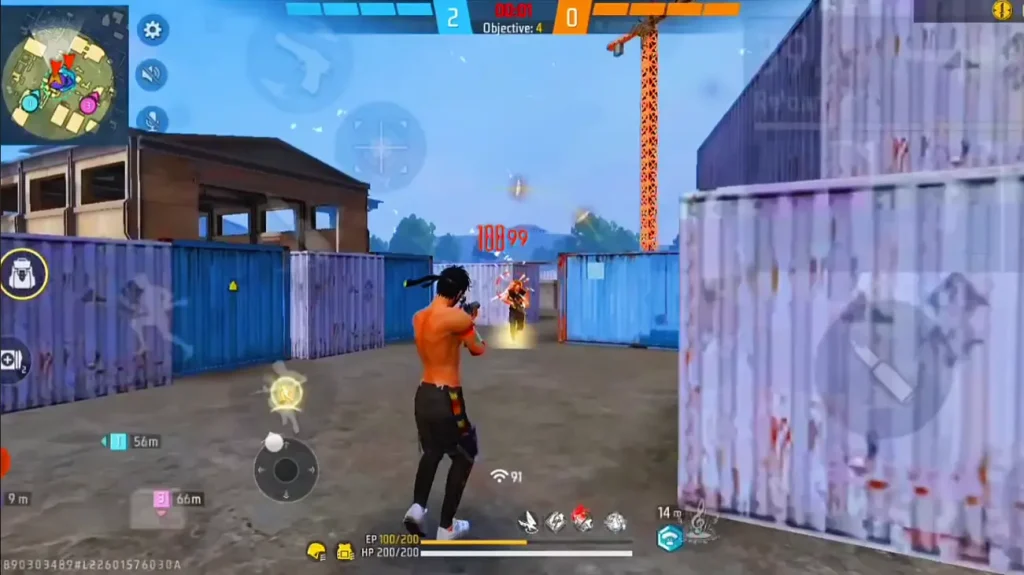
Step 4: Enable and Tune Gyroscope (Optional)
Gyroscope uses your device’s motion to aim – great for fine-tuning crosshair placement. Go to Settings > Controls > Gyroscope and turn it on. Set it to ‘On’ (always on) or ‘Scope Only’. Start with a sensitivity of 30-50 for both general and scope, then increase gradually. Gyro is especially useful if you use max sensitivity settings for high-end phones to control recoil.
Step 5: Test in Practice Mode
Now hit the ‘Practice’ button on the map selection screen. Use the shooting range to test your settings. Spray at the wall to see recoil patterns – if your crosshair jumps too much, lower general sensitivity by 2-3 points. Practice close-range drag shots and long-range taps. Repeat until you feel comfortable. For a systematic approach, use our practice mode for fine-tuning guide.

Common Pitfalls
- Copying pro settings blindly – everyone’s device and playstyle is different. Pro settings may not work on your phone. Instead, start with our smooth sensitivity settings to reduce jitter and adjust from there.
- Ignoring device performance – if your phone lags, high sensitivity will make aiming worse. Use budget phone sensitivity settings if you have a low-end device.
- Not practicing enough – setting the sliders is only half the battle. You need at least 20-30 minutes of practice in the range to let muscle memory develop. Don’t change settings every match.
Where to Next
You’ve got your sensitivity dialed in! Now it’s time to dominate in ranked. Check out our other guides for more tips: learn how to master movement, improve game sense, or optimize your device for smoother gameplay. Remember, consistency is key – stick with these settings for at least a week before making big changes. Good luck in the battle!



