
If you’re a Free Fire player rocking a Black Shark phone, you already know the hardware is beastly. But raw power won’t make you a headshot machine—you need the right sensitivity settings. This guide is for anyone who wants to stop fumbling with their aim and start dominating. By the end, you’ll have a custom sensitivity profile that feels like an extension of your fingers, whether you’re a claw gripper or a thumb player.
We’ve tested these settings on multiple Black Shark models (2, 3, and 4) and finetuned them for the best balance of speed and control. No copy-paste nonsense—just practical steps you can apply right now. Ready to up your game? Let’s dive in.
What You’ll Need
- A Black Shark phone (any model, but we recommend updating to latest OS)
- Free Fire installed and updated to the latest version
- A stable internet connection (ping matters for sensitivity feel)
- Patience—don’t expect instant miracles; it takes a few rounds to adjust
Step 1: Access the Sensitivity Settings Menu
Open Free Fire and head to the main lobby. Tap the gear icon (Settings) in the top-right corner, then select the ‘Sensitivity’ tab. Here you’ll see sliders for General, Red Dot, 2x Scope, 4x Scope, Sniper Scope, and Free Look. Don’t touch anything yet—first, familiarize yourself with the layout.
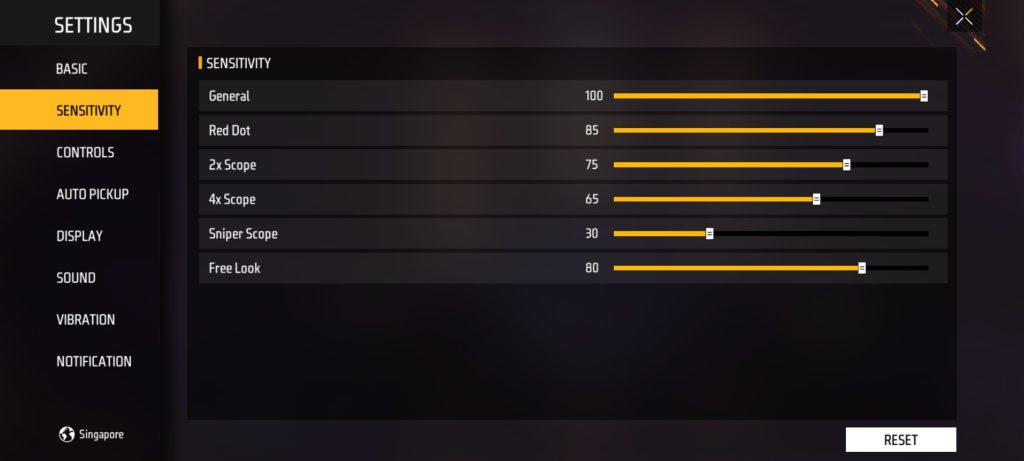
If you’re using a Black Shark with Game Space, you might notice additional enhancements. For now, keep them off—we’ll tweak in-game settings first.
Step 2: Adjust General Sensitivity for Smooth Movement
General sensitivity controls your aim when not scoped. Set it between 85–95 for quick 180s. If you’re a wrist aimer, go higher; if you prefer arm movements, stay lower. Test by swiping left and right—your crosshair should move fluidly without over‑shooting. For Black Shark’s 90Hz or 120Hz display, a high setting feels snappy.
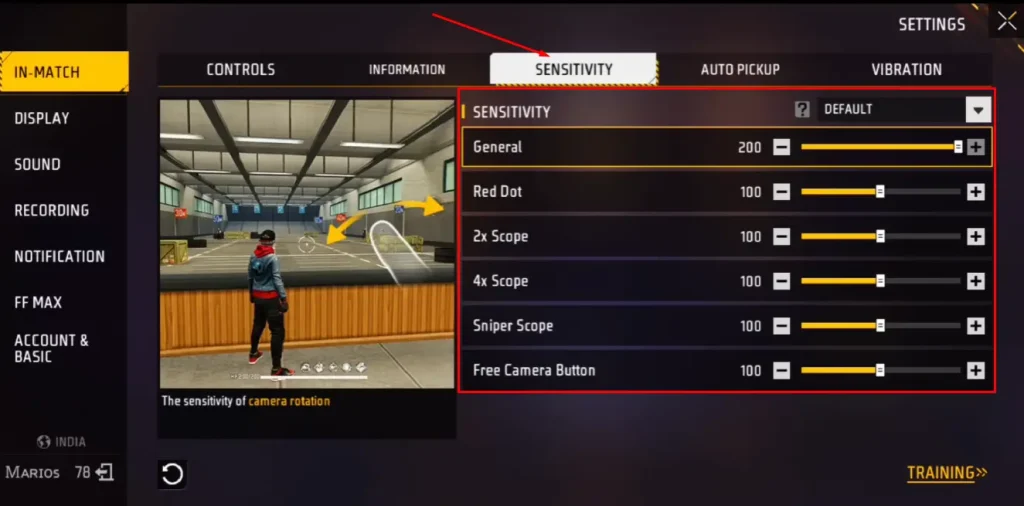
Pro tip: Use the training ground to check your turn speed. If you can spin 360° with a single full swipe, you’re in the ballpark.
Step 3: Fine-Tune Scope Sensitivities
Now for the scopes. Red Dot: 70–80. 2x Scope: 65–75. 4x Scope: 45–55. Sniper Scope: 20–30. These values prevent twitchy aim at longer ranges. Start low and increase incrementally until you can track moving targets without jitter. For Black Shark’s touch sampling (240Hz+), low scopes feel crisp.
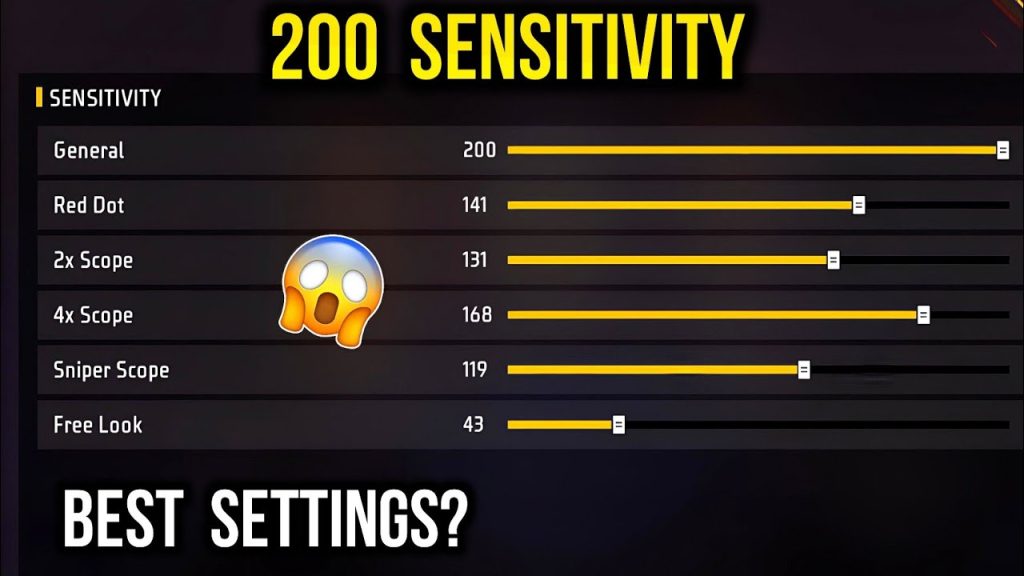
Don’t forget Free Look sensitivity (camera while running). Set to 60–70. This helps scout enemies without slowing down.
Step 4: Test and Save Your Profile
After adjusting, jump into Training Ground. Shoot at moving targets, practice quick scoping, and check if you can maintain crosshair placement. If something feels off, tweak in 5‑point increments. Once satisfied, back out—settings auto-save. You can also save a preset in the game’s ‘Sensitivity’ menu (tap the ‘Save’ icon).

Repeat this process for each scope until your aim feels natural. Remember: muscle memory takes time. Stick with these settings for at least 10 matches before making big changes.
Common Pitfalls
- Copying pro settings blindly without adjusting for your own grip style. Black Shark’s shoulder triggers change how you hold the phone—use them!
- Cranking sensitivity to maximum expecting faster reflexes. High sens can make you over-aim and miss easy shots. Start moderate.
- Ignoring gyroscope if your Black Shark supports it. Gyro can help micro-adjustments—try enabling it with low sensitivity (10–20).
Where to Next
Now that your sensitivity is dialed in, check out our guide on mapping Black Shark’s shoulder triggers for Free Fire. Or practice movement tricks like strafing and jump shots to complement your new aim. Drop your squad’s igns in the comments—see you on the battlefield!



