
Ever watch a Free Fire influencer like Total Gaming, SK Sabir Baba, or Gyan Gaming and wonder how they never miss a shot? The secret isn’t just skill – it’s their sensitivity settings. These pros have dialed in their touch controls so that every swipe translates into exact crosshair placement. And the good news? You can copy their settings in minutes.
In this guide, I’m handing you the exact sensitivity values used by top Free Fire influencers. We’ll walk through where to find the settings, what each slider does, and how to adjust them for your specific phone or tablet. By the end, you’ll have a setup that feels snappy and lets you control recoil like a pro. Let’s jump in.
What You’ll Need
- A device with Free Fire installed (Android/iOS recommended with 90+ FPS)
- Stable internet connection (preferably Wi-Fi for low ping)
- 5–10 minutes of free time in the training grounds
- A notepad or notes app to jot down your tweaks
Step 1: Access the Sensitivity Menu
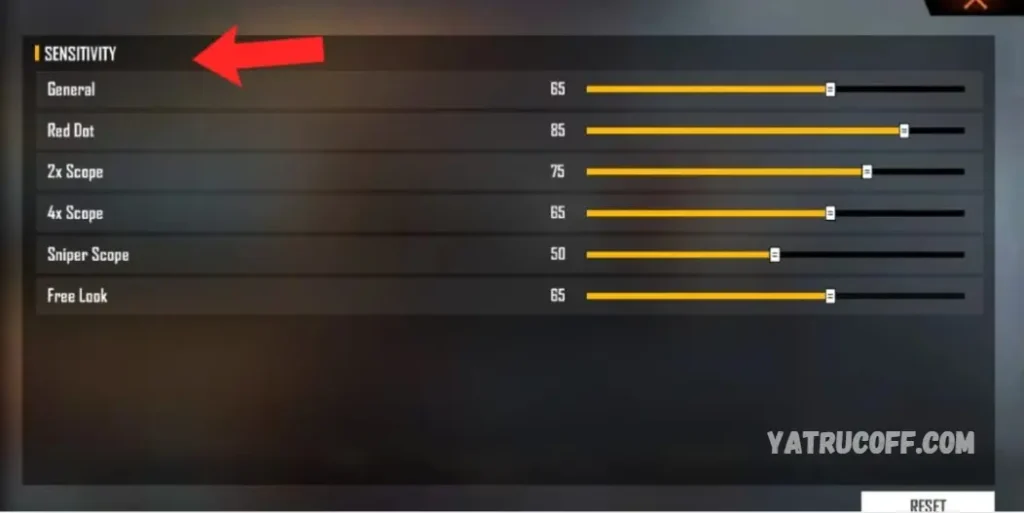
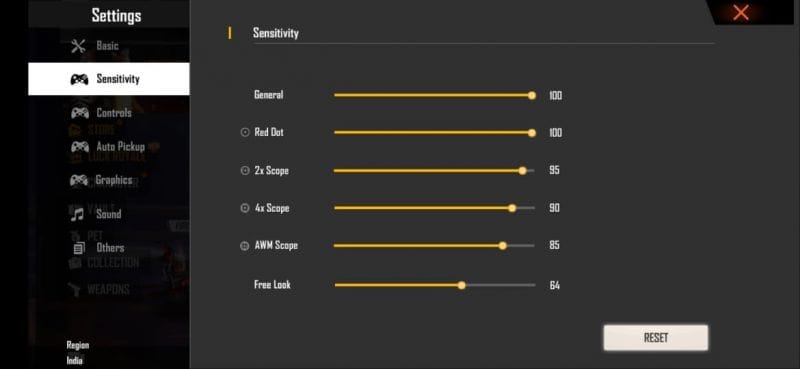
Open Free Fire and tap the gear icon (Settings) on the main lobby screen. Navigate to the ‘Sensitivity’ tab. You’ll see a bunch of sliders: General, Red Dot, 2x Scope, 4x Scope, Sniper Scope, and more. Don’t be overwhelmed – we’ll tackle each one.
Step 2: Set the Base DPI (Optional but Useful)
Before changing sliders, check your device’s DPI (dots per inch) or pointer speed. On Android, go to Developer Options and set ‘Pointer speed’ to the middle (50%). On iOS, there’s no direct DPI setting, but make sure your 3D Touch (if available) is off. Most influencers use default system DPI.

Step 3: Apply Influencer-Approved Values
Here are the tested sensitivity settings from top Free Fire influencers. Copy these numbers exactly, then we’ll fine-tune. If your device is laggy, lower General sensitivity by 5–10 points.
- General: 90
- Red Dot: 85
- 2x Scope: 80
- 4x Scope: 65
- Sniper Scope: 35
- Free Look: 70

Step 4: Test in Training Grounds
Head to the Training Ground (from the lobby menu). Grab an M4A1 and an AK – the two most common weapons. Shoot at a wall from medium distance. If your crosshair jumps too high (recoil), lower the corresponding scope sensitivity by 5 points. If you can’t track a target smoothly, increase General sensitivity slightly.

Step 5: Adjust for Your Playstyle
Rush players usually prefer high General (90–100) and low scopes for quick flicks. Passive snipers can drop General to 75 and raise Sniper Scope to 50. Spend 10 minutes in Clash Squad to test under pressure. Tweak one slider at a time and play at least one full match before changing again.
Common Pitfalls
- Copying blindly without adjusting for your device’s touch latency and frame rate – always start with 90 General and go from there.
- Changing multiple settings at once – you won’t know what’s working. Change one slider per match.
- Forgetting to practice – even the best settings won’t help if you don’t spend 10 minutes daily on recoil control in Training Ground.
Your sensitivity is like a fingerprint – unique to your thumbs. Copying a pro is step one; customizing it is what makes you a beast.
– Free Fire veteran player
Where to Next
Now that your sensitivity is dialed, focus on crosshair placement and movement. Watch influencers’ streams and note their crosshair positions. Record your gameplay and compare. Try different scope combinations for the AWM and M1014. And most importantly – have fun. Your aim will only get better from here.



