New weapons drop in Free Fire every few months, and if you stick with your old sensitivity settings, you’ll probably miss shots you shouldn’t. This guide is for anyone who struggles with recoil on fresh guns like the AUG, M1887, or the latest SMG. By the end, you’ll have a personalized sensitivity setup that lets you control those new weapons like a pro.
We’ll start from the basics: what sensitivity even does, then move step-by-step through tweaking your sliders, practicing in the training ground, and finally testing in real matches. No copy-paste settings from top players—because your device and thumbs are different. Instead, you’ll learn a method that works for any gun.
What You’ll Need
- Free Fire installed on your phone or tablet (any version is fine).
- A stable internet connection to avoid lag while testing.
- At least 30 minutes of uninterrupted time to adjust and test.
- A friend or a second device to test hip fire and scope transitions (optional).
- Patience — perfecting sensitivity takes a few rounds.
Before you dive in, make sure you’ve read our custom sensitivity settings guide and sensitivity and aim combo — they cover the fundamentals we build on here.
Step 1: Identify the New Weapons and Their Recoil Patterns
Every new gun has a unique recoil pattern. Some kick up and left, others drift right. Go to the training ground and fire a full magazine into a wall without adjusting your aim. Watch the bullet holes—that’s your free recoil chart. Screenshot it for reference.
Now you know whether the weapon needs more vertical or horizontal compensation. This insight will guide every slider you change next.
Step 2: Adjust General Sensitivity for Faster Aim
Open your Free Fire settings and tap on ‘Sensitivity’. The first slider is ‘General’, which affects hip-fire movement and camera rotation. If the new weapon feels sluggish when you turn, increase this by 5–10 points. If it overshoots too much, lower it. A good starting point is between 80 and 90 for most devices, but you’ll fine-tune after a few test rounds.
While you’re here, check our precision aim settings if you want to lock on enemies faster without sacrificing accuracy.
Step 3: Fine-Tune Red Dot and Scope Sensitivity
New weapons often come with built-in scopes or you’ll attach a red dot. Go to the ‘Red Dot’ and ‘2x Scope’ sliders (and up to 4x if the gun supports it). Start with the same value as your general sensitivity, then adjust: if you over-aim while scoped, reduce by 5. If you can’t track moving targets, increase by 5. Spend 5 minutes in training ground with each scope.
For weapons like the M1887 shotgun, you barely need scope sensitivity since you’ll mostly hip-fire. For assault rifles like the new AUG, scope control is everything. Use our advanced sensitivity settings to get fine-grained control.
Step 4: Practice Controlling Recoil in Training Ground
Equip the new weapon, stand at a medium distance from the target, and fire while pulling down steadily. If the crosshair jumps above the target after 10 bullets, you need to pull harder (or increase vertical sensitivity). If it dips below, pull less. The goal is a tight bullet cluster. Repeat with horizontal sensitivity if the spread goes sideways.
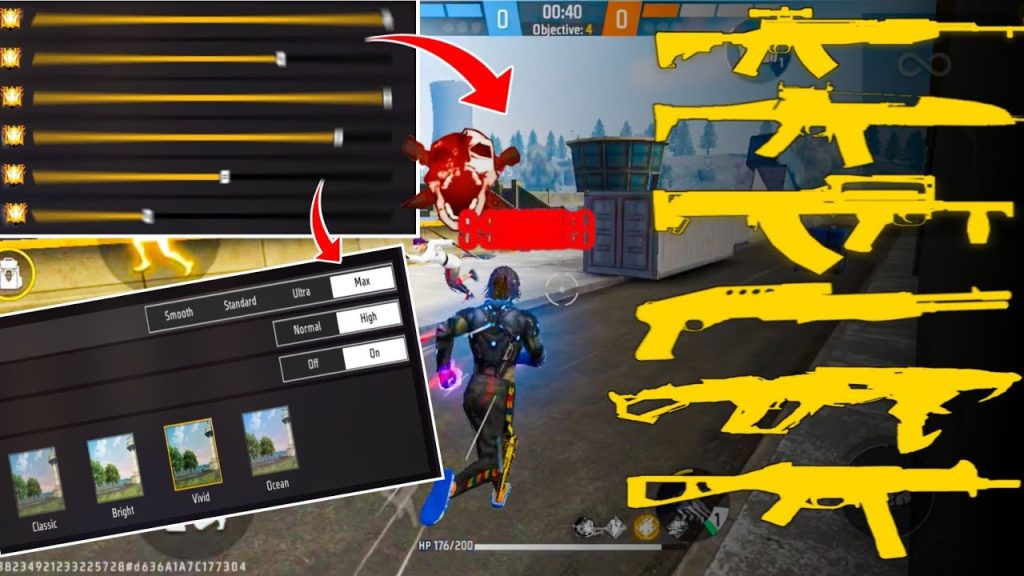
We’ve also got less recoil settings that specifically help with spray patterns—check that out if you’re struggling to keep shots grouped.
Step 5: Test in Real Matches and Tweak Further
Theory only gets you so far. Queue up in Clash Squad or a classic BR match and use the new weapon exclusively. After each game, note how it felt: Was turning too slow? Did you miss close-range fights? Adjust sliders by 2–3 points per issue. Over 5–10 matches, you’ll zero in on the perfect settings.
Our tested sensitivity settings are a great sanity check — compare your final numbers to what other players use on similar devices.
Common Pitfalls
- Copying pro settings without considering your device’s screen size and touch response. What works on an iPad might feel awful on a small phone.
- Ignoring gyroscope settings. If your phone supports gyro, enabling it can drastically improve recoil control, especially for new weapons with high kick.
- Not adjusting for each new weapon individually. No single sensitivity fits all guns. You may need to save different loadout presets (Free Fire doesn’t allow this natively, so write down your numbers for each weapon).
Where to Next
You’ve got your sensitivity dialed for the latest weapons. Now put those skills to use in ranked matches. If you want to go even deeper, check out our guides on sensitivity and aim combo, precision aim settings, and advanced sensitivity settings. Keep practicing, and soon those new guns will feel like old friends.



