If you’re tired of jittery aim or sluggish turns, balanced sensitivity settings are your ticket to consistent performance. This guide is for players who want a middle ground—fast enough to flick during close fights but controlled enough for medium to long-range sprays. By the end, you’ll have a solid base sensitivity that you can tweak as you improve.
We’ve tested these numbers on midrange phones (like those covered in our free fire sensitivity settings for midrange phones guide) and they work great for most devices. No one-size-fits-all solution exists, but this setup gets you 90% there. Ready to finally stop over-aiming? Let’s dive in.
What You’ll Need
- Free Fire installed on your phone (latest version)
- A custom HUD preset (so settings don’t reset)
- Access to Training Grounds (for testing)
- 5–10 minutes of uninterrupted time
- Optional: gyroscope if you want to use tilt aim
Before we start, make sure you have a clear game cache. If you’ve messed with sensitivity files before, reset to default first. Our free fire sensitivity settings for beginners article explains how to do that.
Step 1: Open the Sensitivity Menu
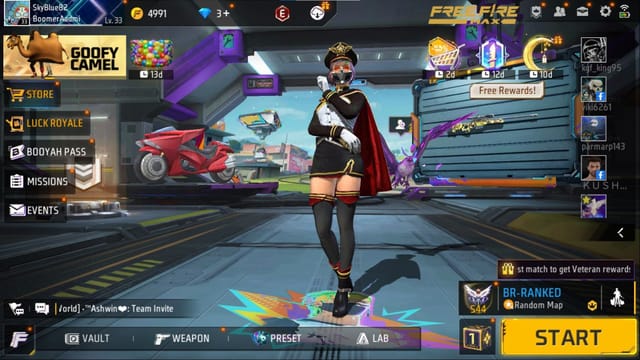
From the Free Fire lobby, tap the gear icon (Settings) in the top-right corner. Then select ‘Sensitivity’ from the left sidebar. You’ll see sliders for General, Red Dot, 2x Scope, 4x Scope, Sniper Scope, and Free Look. We’ll adjust each one.
Step 2: Set General and Red Dot Sensitivity
Your General sensitivity controls hip-fire aim. For a balanced style, set it between 65–75. Red Dot sensitivity should be slightly lower, around 55–65, to keep your aim steady when using a sight. These values let you track moving targets without over-flicking.
If you’re coming from a higher sensitivity, drop it gradually. The free fire sensitivity settings tester tool on our site can help you find your sweet spot.
Step 3: Adjust 2x and 4x Scope
For 2x scope, set between 45–55; for 4x scope, 35–45. Higher scopes require lower sensitivity to avoid shaking. These numbers work well for midrange fights—common in ranked matches. Your sniper scope can stay at default (around 20–25) since you’ll usually hold angles.
Step 4: Fine-tune Gyroscope (Optional)
If you use gyroscope, set general gyro sensitivity between 10–20 and scope gyro around 5–10. Gyro helps with micro-adjustments during sprays. Check our how to use gyro in free fire sensitivity settings guide for more details. But if gyro feels weird, skip it—you’ll still get balanced aim.
Step 5: Test in Training Grounds
Head to Training Grounds and grab an AR like the M4 or AK. Practice spraying at stationary targets at 10m, 30m, and 50m. If your crosshair jumps too much, reduce scope sensitivities. If you can’t track a running bot, increase general sensitivity by 5. Repeat until it feels smooth.
This is the most important step. The how to master free fire sensitivity settings guide has drills you can use. Don’t rush—spend 5 minutes here.
Step 6: Adjust Based on Your Playstyle
Now that you have a base, tweak it. If you’re an aggressive rusher, bump general sensitivity to 80. If you prefer holding angles, lower everything by 5–10. The beauty of balanced settings is that they work as a foundation for any style. Write down your base numbers so you can revert if a change feels off.
Common Pitfalls
1. Changing too many values at once. Never adjust more than two sliders in a session. Your muscle memory needs time to adapt. Stick to one scope type per day.
2. Copying pro settings blindly. Pros have unique phones and grips. Their settings won’t work for you. Use them as inspiration, not gospel. Our free fire sensitivity settings for gaming phones guide explains why.
3. Ignoring device performance. If your phone lags, lower sensitivity to compensate. High sensitivity on a stuttering phone makes aim worse. Check our free fire sensitivity settings for overheating phones tips if your device gets hot.
Where to Next
You’ve got your balanced sensitivity set. Now practice consistency. The perfect free fire sensitivity settings guide shows how to fine-tune further, and our recommended free fire sensitivity settings post has alternate setups to try. Stick with these numbers for a week, and you’ll notice your aim feeling more natural. Good luck out there!



