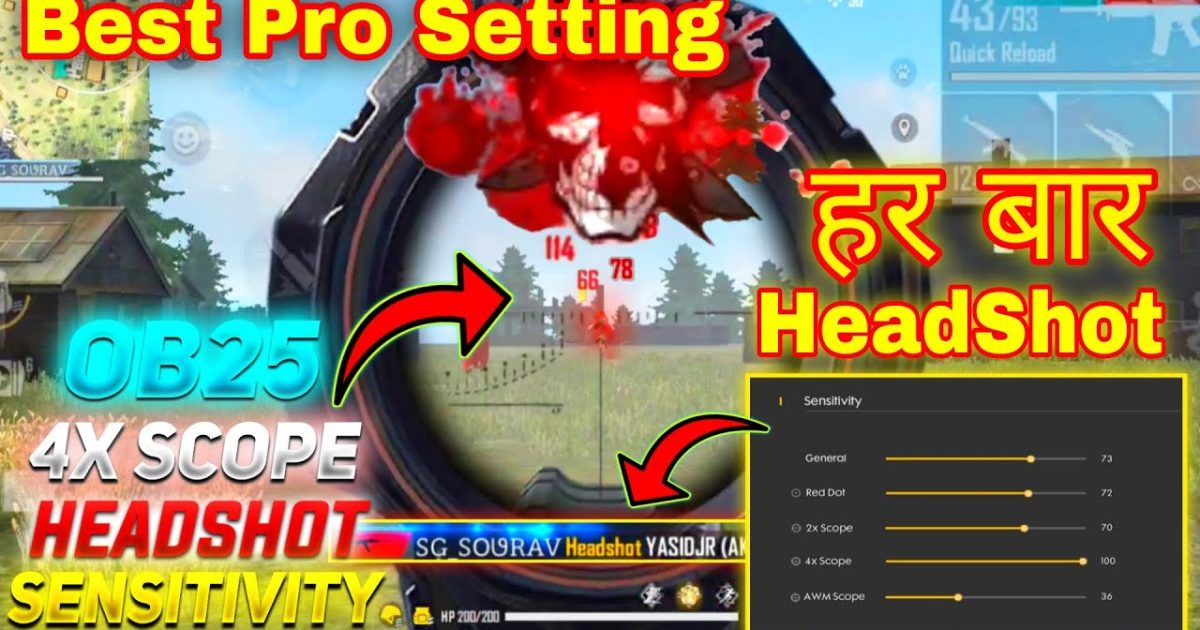
Hey Free Fire player, if you’ve ever slapped a 4x scope on your SCAR or M4 and felt like your crosshair was dancing all over the screen, this guide is for you. The 4x scope is a beast for mid-to-long range fights, but without the right sensitivity, you’ll either overshoot your target or drag too slowly to track a moving enemy. By the end of this post, you’ll have a custom sensitivity setup that lets you snap onto heads and control recoil like a pro – all tuned specifically for the 4x scope.
We’re going to walk through the exact sensitivity numbers you should start with, how to fine-tune them, and how to test them in the training ground. Whether you’re a beginner or a veteran tweaking your settings, this step-by-step plan will save you hours of trial and error. Ready to turn that 4x into a death ray? Let’s dive in.
What You’ll Need
- Free Fire or Free Fire Max installed on your device
- At least 30 minutes of uninterrupted practice time
- A stable internet connection (no one likes laggy shooting)
- A device with a decent screen – 60Hz or higher recommended
- Your preferred weapon with a 4x scope (e.g., M4A1, SCAR, AK, or AWM)
- Patience – you might miss a few shots before it clicks
Before we start, make sure you have your Free Fire account ready and you’re familiar with the settings menu. If you haven’t read the beginner free fire sensitivity settings guide yet, do that first – it covers the basics of what each slider does.
Step 1: Reset Your Current Sensitivity to Default
We need a clean slate. Go to Settings → Sensitivity and tap ‘Reset to Default’. This removes any previous tweaks that might interfere with our new 4x scope setup. Don’t worry – you can always go back.
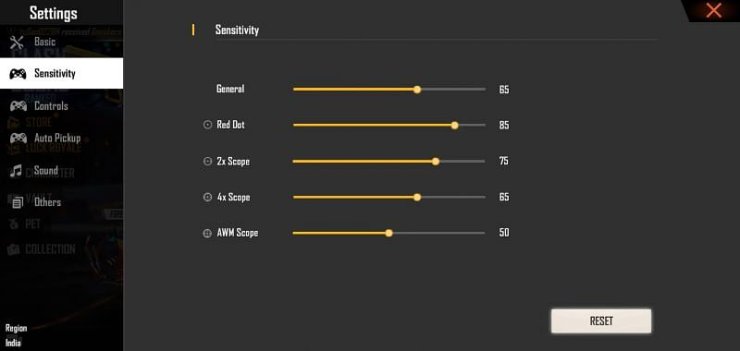
Now, set your General sensitivity to 85 (this is the overall look-around speed). For the 4x scope specifically, we’ll adjust the ‘Scope’ sensitivity slider. Start at 40 for now.
Step 2: Set Base Values for All Scopes (Including 4x)
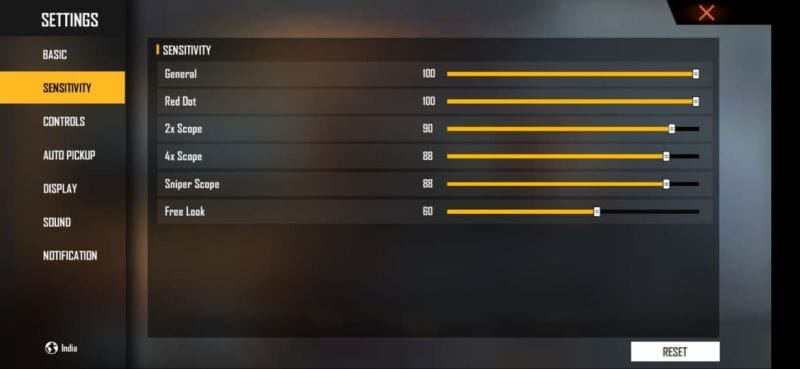
Here’s the starting point I recommend after testing with many players (similar to the free fire sensitivity settings tested by pros approach):
- General: 85
- Red Dot: 70
- 2x Scope: 55
- 4x Scope: 40
- Sniper: 30
- Free Look: 70
Why start at 40 for the 4x? Because the 4x magnifies movement, so a lower sensitivity gives you finer control while still being fast enough to track. If you’re on a device with a higher refresh rate, you might bump this up to 45 later.
Step 3: Fine-Tune in the Training Ground
Head to the Training Ground and equip a weapon with a 4x scope. Pick a stationary target at about 50 meters first. Aim at its head and try to keep the crosshair still while firing single shots. If you overshoot or jitter, lower the 4x scope sensitivity by 2 points. If you can’t keep up with a moving target, increase by 2 points.
Repeat this until you can do three things: hold the crosshair steady on a static head, track a strafing target smoothly, and flick to a new target without overcorrecting. This is exactly what the how to practice free fire sensitivity settings method teaches.
Step 4: Test Recoil Control at Range
With the 4x scope, recoil is more punishing. Equip a SCAR or M4 with no attachments and shoot a full magazine at a wall 30-40 meters away. Observe the bullet spread pattern. If the gun jumps too much and you can’t compensate with your thumb drag, lower the 4x sensitivity by 1-2 points. If you can’t pull down fast enough, raise it by 1-2.
For AWM users, check out the free fire sensitivity settings for awm guide – it covers sniper-specific tweaks, but the 4x on an AWM is similar to our scope slider.
Step 5: Perfect Your Drag Shot Headshot
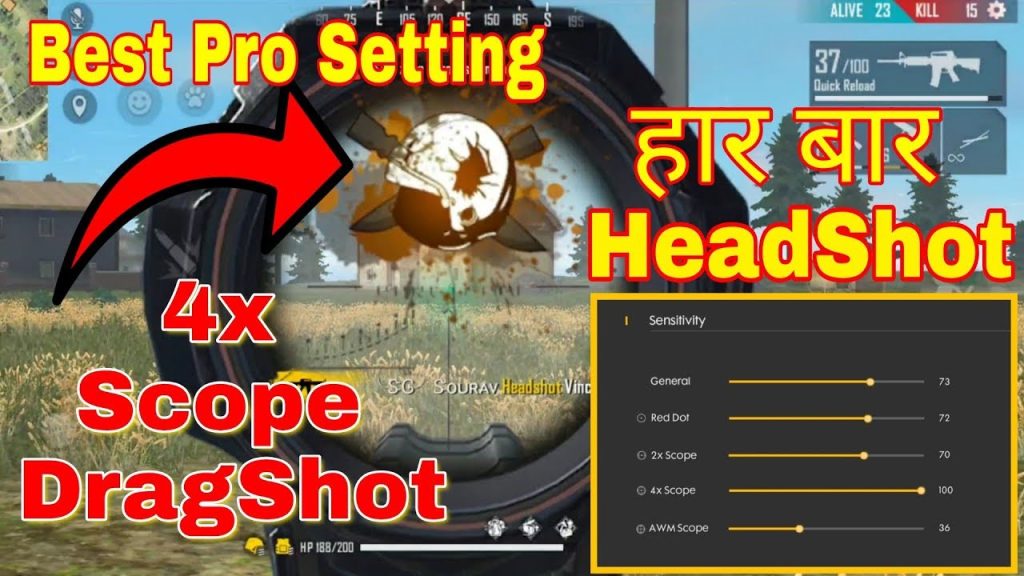
The 4x scope is fantastic for drag shot headshots – flicking up from the body to the head while spraying. To practice this, stand 40 meters from a moving target. Use your 4x scope and try to land 3 quick headshots. If your crosshair overshoots the head, lower your 4x sensitivity slightly. If you’re landing body shots instead of heads, increase it.
This step can take a while, but once you’re consistent, you’ll have a killer mid-range game. For a deeper dive, read the free fire sensitivity settings for drag shot headshot tutorial.
Common Pitfalls
- Setting 4x sensitivity too high: You’ll overshoot every target and miss easy shots. Start low (40) and go up slowly.
- Ignoring device performance: A laggy device makes any sensitivity feel wrong. Lower graphics or enable smooth free fire sensitivity settings to reduce input lag.
- Copying pros without testing: Pro players have different hand sizes, phone screens, and muscle memory. Use their numbers as a baseline, then adjust for yourself – that’s why the testing step is crucial.
Where to Next
You’ve got your 4x scope sensitivity dialed in – great work! Now take it into real matches and see how it feels. Keep a mental note of when you miss a shot: is it because you dragged too far or too little? Tweak accordingly.
If you want to improve further, check out the smooth free fire sensitivity settings for a more fluid aim, or the beginner free fire sensitivity settings if you need to revisit the basics. And remember – practice makes permanent. See you on the battlefield!



