If you’ve been playing Free Fire and feel like your aim is all over the place, you’re not alone. The default sensitivity settings rarely work for everyone, which is why tweaking them is one of the first things any serious player does. Whether you’re a total newbie or a veteran trying to climb to legendary, this tutorial will help you dial in your sensitivity so you can track enemies, control recoil, and land headshots consistently. By the end, you’ll have a personalized sensitivity profile that matches your device, playstyle, and comfort.
We’ll cover everything from the basics of the sensitivity menu to advanced fine-tuning in training grounds and custom rooms. Plus, we’ll point you to some tested presets like the popular sensitivity settings that many pros use. So grab your phone, launch Free Fire, and let’s get your sensitivity right.
What You’ll Need
- A phone or tablet running Free Fire (any device works, but performance affects sensitivity)
- At least 15–20 minutes of uninterrupted time in the training ground
- Optional: a second device to record your gameplay for later analysis
- Patience – finding the perfect sensitivity takes trial and error
Before we dive in, make sure you’re in a quiet spot where you can focus. Also, if you’re on a low-end device, you might want to check our settings without gyro guide for alternatives.
Step 1: Reset Your Sensitivity to Default
Go to Settings > Sensitivity and tap “Reset” at the bottom. This clears any previous changes so you start from a neutral baseline. Don’t worry – we’ll build up from here. The default values are a safe starting point for most players.
Step 2: Understand the Sensitivity Sliders
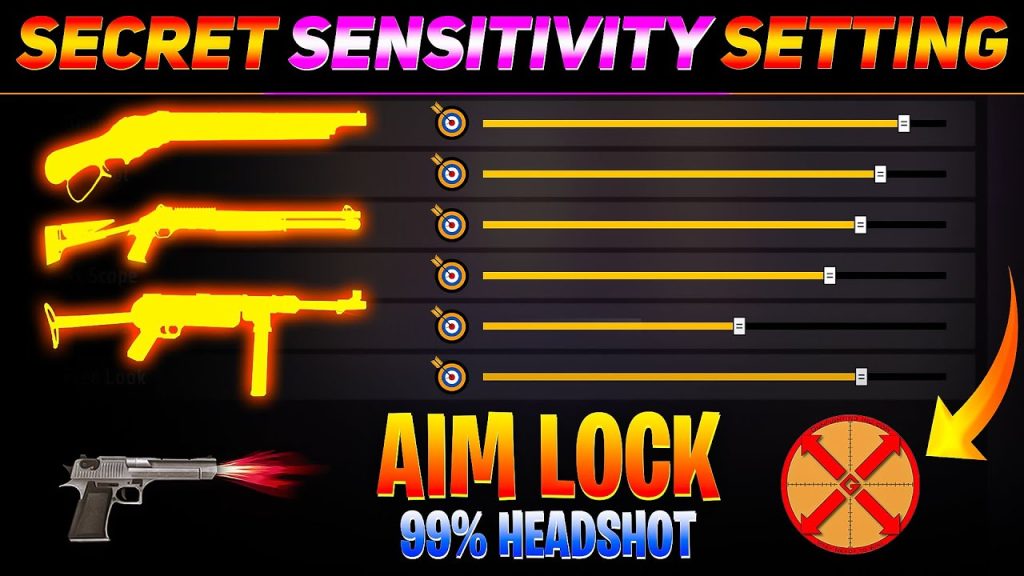
Free Fire has several sensitivity categories: General, Red Dot, 2x Scope, 4x Scope, Sniper Scope, and Free Look. General affects your normal aiming (hip fire and when you tap the aim button). The scope sliders are for when you’re using a specific scope attachment. Free Look lets you look around while running or gliding. Focus on General and Red Dot first – they’re the most important for close to mid-range fights. If you use sniper often, tweak that later. For recoil control in ARs, you’ll want General around 80–90, but we’ll test that.

Step 3: Adjust General Sensitivity for Your Playstyle
Start with General at 70. Head to the training ground and practice shooting a stationary target while strafing. If you overshoot (your crosshair goes past the target), lower the sensitivity. If you undershoot (can’t keep up), increase it. The sweet spot is where you can track a moving target smoothly without jitter. For aggressive players who love close-range combat, higher sensitivity (85–100) helps with quick flicks. For passive players who prefer long-range, lower sensitivity (60–75) gives more precision. Check out our beginner-friendly sensitivity settings for safe numbers.
Step 4: Fine-Tune Scope Sensitivities
Once General feels good, equip a weapon with a red dot and adjust the Red Dot slider. A common trick: set Red Dot to 70–80% of your General sensitivity. Then do the same for 2x and 4x scopes if you use them. For snipers, many players prefer lower sensitivity (like 30–50) for steady aim. Remember, you want your scoped sensitivity to feel natural – not too fast that you miss, not too slow that you get killed while aiming. If you’re into ARs, our AR recoil control guide has specific values for each weapon.
Step 5: Test in a Custom Room
After training ground tweaks, create a custom room and invite a friend or use bots to simulate real combat. Focus on tracking enemies at various distances. If you find yourself overcorrecting, lower the sensitivity. If you can’t keep your crosshair on the enemy, increase it. Repeat this cycle until it clicks. We have a dedicated guide on custom room testing that walks you through the process in detail.

Step 6: Recoil Control with Sensitivity
Good sensitivity settings help but can’t fix recoil entirely – you still need to drag down as you fire. However, if you notice your shots are uncontrollable, try increasing General sensitivity slightly (by 5) and practice spray patterns. For SMGs, the recoil is mostly vertical, so a higher sensitivity (90-100) lets you compensate faster. See our SMG recoil settings for fine-tuned values. For ARs, stick to 80-90 and use the training ground to practice full mag sprays.

Step 7: Save Your Settings and Build Muscle Memory
Once you’re happy, take a screenshot of your sensitivity page so you can restore it if needed. Then play at least 10-15 matches with the same settings to let muscle memory develop. Don’t change it every day – consistency is key. Over time, you’ll naturally want to tweak again. That’s normal. Just use this same process. For a quick start, you can copy the popular sensitivity settings many pros use, but always adjust to your feel.
Common Pitfalls
- Copying pro settings blindly – your device, screen size, and finger dexterity are different. Use them as a reference, not a rule.
- Changing sensitivities too often – you’ll never build muscle memory if you adjust every match. Stick with a setting for at least a week.
- Ignoring device performance – if your phone lags, high sensitivity can make it worse. Lower graphics and enable game booster mode if needed.
Where to Next
Now that you’ve dialed in your sensitivity, the next step is mastering other aspects like key mapping, HUD layout, and crosshair placement. Check out our guide on beginner-friendly sensitivity settings for a complete setup. If you play without gyroscope, our settings without gyro post has you covered. And if you’re serious about ranked, our latest free fire sensitivity settings for tournaments will give you an edge. Happy headshotting!



