If you’re tired of your bullets spraying everywhere except your enemy’s head, you’re in the right place. This guide is for intermediate Free Fire players who want to tighten their spray pattern and land more shots in medium to close-range fights. By the end, you’ll have a custom sensitivity profile that helps you control recoil on your favorite ARs and SMGs, plus a testing routine to keep fine-tuning.
Spray control isn’t just about dragging your thumb down – it’s about having the right sensitivity so that the drag matches the game’s recoil pattern. We’ll walk through general sensitivity, scope-specific settings, and weapon-by-weapon adjustments. You’ll also learn how to test in the training grounds and avoid common mistakes that ruin your aim.
What You’ll Need
- Free Fire installed (latest version) on your phone or tablet
- A device with decent performance – lag can mess with sensitivity feel
- At least 10 minutes of uninterrupted practice in the training grounds
- A note-taking app or paper to jot down your current settings and changes
- Optional: a friend to spar with in Clash Squad for real-world testing
Step 1: Find Your Baseline – Adjust General Sensitivity
Start by opening the sensitivity menu (Settings > Sensitivity). Your general sensitivity controls how fast your screen moves when you swipe. For spray control, you want it high enough to react quickly but low enough to precisely control recoil. A common starting point for beginners is 70–80 for General. If you’re using a 4-finger claw setup, you might go higher (85–95). Reset to default if you’ve messed around a lot.
Test this in the training grounds. Pick an AR like the M4A1 (no attachments) and fire a full magazine at a wall from 10 meters. Observe the spray pattern – if it climbs too fast, lower general sensitivity by 5; if it feels sluggish, raise it. Keep adjusting until the pattern is roughly vertical and manageable. This is your baseline.
Step 2: Tune Red Dot and Holographic Scope Sensitivity
Scope sensitivity affects aim while ADS (aim down sights). For spray control, you want red dot and holographic sensitivities slightly lower than your general sensitivity – about 60–75% of your general value. This gives you finer control when spraying through a scope. Go to the sensitivity menu and find the red dot/holo slider. Set it to a starting value of 65 if your general is 80.
Again, test in training grounds. Fire an M4A1 with a red dot at a target 20 meters away. Adjust the red dot sensitivity by 2–3 points at a time until you can keep the spray centered on a body-sized area. If the crosshair jumps past your target, lower it; if you can’t pull down fast enough, raise it.
Step 3: Weapon-Specific Adjustments
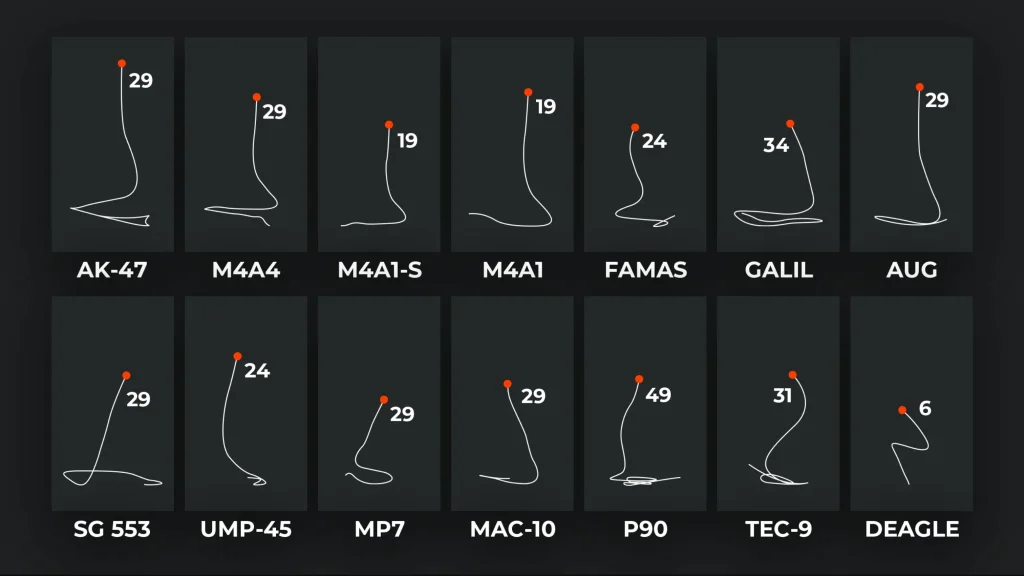
Different weapons have different recoil patterns. The AK47 kicks hard, while the M4A1 is smoother. Create a per-weapon sens profile using Free Fire’s per-gun settings (if you’re on OB41+). In the sensitivity menu, scroll down to the weapon-specific section. For the AK, start with a slightly higher general sensitivity (add 5) and a lower red dot sensitivity (subtract 5) to compensate for its vertical climb. For the M4, stick with your baseline. Don’t forget the Groza and MP40 – try reducing scope sensitivity by 10 for faster-firing guns.
Apply these settings and test each gun individually. Spend 2 minutes per weapon in training grounds. Record your results – you’ll build a personal database of what works. For stored settings, you can use the backup code feature; see our guide on free fire sensitivity settings backup code to save your progress.
Step 4: Testing in Real Scenarios
Training grounds are controlled – now take your settings into a real match. Hop into Clash Squad (Ranked or Classic). Focus on mid-range fights (15–30 meters) where spray control matters most. After each match, note if you felt you lost fights because your spray was off. Adjust the corresponding sensitivity by 2–3 points and test again. Many pro players share their setups on Discord; check out our article on sensitivity codes on Discord to find popular profiles.
Don’t change more than one slider per game – it’s easy to get lost. If you’re struggling with close-range jump shots, check out our jump shot sensitivity guide for specific adjustments. For headshot accuracy, our easy headshot sensitivity guide can help as well.
Step 5: Fine-Tune for Consistency
After a few matches, you’ll notice patterns. Maybe you need a bit more general sensitivity for turning, or your 2x scope is too sensitive. Return to the training grounds and make small tweaks. Consistency is key – once you find a setup that works in 80% of gunfights, stick with it for at least a week. Your muscle memory will adapt. For a balanced overall profile, refer to our balanced sensitivity guide.
Remember to export your final settings via the in-game export tool (or backup code) so you never lose them. Our article on free fire sensitivity settings backup code walks you through the steps. Also, if you want to see how your settings perform in competitive matches, check our Clash Squad settings tested guide for real stats.
Common Pitfalls
- Changing too many settings at once: You won’t know which adjustment worked or failed. Stick to one slider per session.
- Ignoring sensitivity for different ranges: Spray control for 10 meters is different from 30 meters. Test both short and medium range.
- Copying a pro’s settings blindly: Their playstyle, device, and even DPI (if using an external controller) may not suit you. Always tweak from a baseline.
Where to Next
You’ve now got a solid foundation for spray control sensitivity. The next step is mastering movement – combine this with strafing and jump shots to become unpredictable. Keep practicing, share your settings with friends, and check out our other sensitivity guides for headshots, shotguns, and free look. See you in the training grounds!



