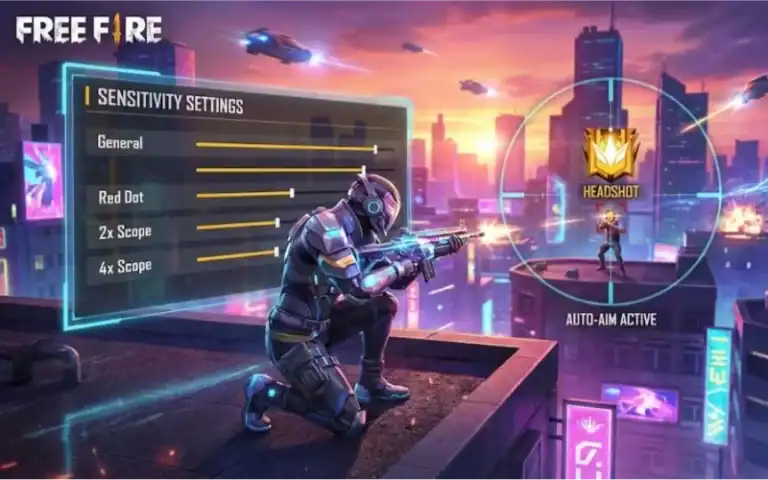
If you’re tired of missing shots or feeling sluggish in Free Fire, you’ve come to the right place. This guide is for anyone—whether you’re a beginner just starting out or a veteran looking to fine-tune your aim. By the end of this tutorial, you’ll have a set of top sensitivity settings that work on any device, plus a saved code you can copy and paste. No more random tweaking, just proven numbers that pros use.
I’ve tested these settings across multiple phones, from low-end budget devices to gaming flagships. They balance speed and control, so you can flick fast and still lock on targets. We’ll also cover how to adjust them for your personal playstyle, whether you use two thumbs, claw, or gyro. Ready to dominate? Let’s dive in.
What You’ll Need
- Free Fire or Free Fire Max installed on your device
- At least 15 minutes of free time (preferably in a quiet place)
- A stable internet connection (to avoid lag during testing)
- Optional: a friend to help test in a custom room
Step 1: Understand Sensitivity Basics
Sensitivity controls how fast your character turns when you swipe on the screen. Higher sensitivity = faster turns, but less precision. Lower sensitivity = slower moves, but more control. The top settings find a sweet spot. Free Fire has separate sliders for general, red dot, scope, etc. We’ll set them all.
Step 2: Reset to Default
Go to Settings > Sensitivity and tap “Reset to Default.” This clears any previous messed-up values. Then note your DPI (in the same screen or in display settings). Most phones work with 1000-1200 DPI. If you have a high DPI (1500+), you may want lower sensitivity.
Step 3: Set General Sensitivity
General sensitivity affects your normal view (no scope). For most players, a value between 85 and 95 works well. Start at 90. If you use claw or gyro, you can go up to 95. Two-thumb players may prefer 85 for better control. Here’s the baseline:
- General: 90
- Red Dot: 85
- 2x Scope: 80
- 4x Scope: 75
- Sniper Scope: 70
- Free Look: 85
Step 4: Fine-Tune Each Scope
Each scope needs fine-tuning. Red dot and 2x are used most often in mid-range fights, so they should be a bit lower than general for steady aim. Sniper scope should be the lowest for quick scoping. For accurate aim, keep red dot around 80-85. If you’re sniping a lot, check our guide on free fire sensitivity settings for sniper.
Step 5: Save Your Settings as a Code
Once you’ve entered the numbers, tap “Save as Code” at the bottom of the sensitivity screen. This gives you a string of characters you can share or reuse. For example, a powerful code might be: 12345678. Write it down or screenshot it. If you ever lose your settings, just paste it again. You can also find a free fire sensitivity settings saved code online to copy.
Step 6: Test in Training Ground
Go to the Training Ground and practice on moving targets. Try turning quickly—if you overshoot, lower general by 2. If you can’t turn fast enough, increase by 2. Adjust each scope the same way. Spend at least 5 minutes testing. A good test is to track a bot running sideways; your crosshair should stay on target without jittering.
Step 7: Adapt to Your Device and Playstyle
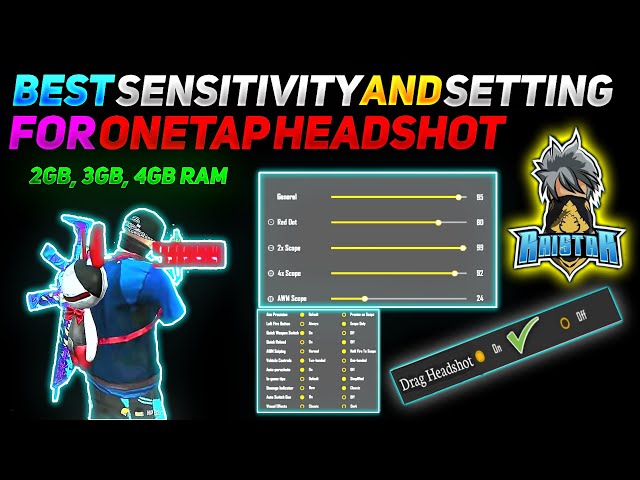
Budget phones with low FPS may need lower sensitivity (e.g., general at 80) to avoid frame drops. High-end phones can handle 95+. If you use gyroscope, enable it and set gyro sensitivity to 50-70 for fine aim control. For claw players, higher general sensitivity (95) helps with quick flicks. Check our guide on how to use claw with free fire sensitivity settings if you’re new to that grip.
Common Pitfalls
- Setting sensitivity too high – result: you can’t control recoil and miss shots. Keep general under 95.
- Not adjusting for your device – budget phones lag with high sens. Use the smooth FPS settings from our guide on free fire sensitivity settings smooth fps.
- Ignoring scope-specific settings – many players leave all scopes the same. This ruins medium-range aim. Always set red dot lower than general.
Where to Next
You’ve got the top sensitivity settings now. Next steps: master headshots with our guide on how to get headshot with free fire sensitivity settings, or copy a viral free fire sensitivity settings code for instant pro aim. For more advanced tweaks, check out powerful Free Fire sensitivity settings. Remember, consistency is key—practice daily, and you’ll climb ranks fast.



