If you’re playing Free Fire on a Samsung phone – whether it’s a Galaxy S24, A54, or an older model – you know that default sensitivity settings often feel off. This guide is for every Samsung user who wants to land more shots, win more fights, and finally stop blaming lag. By the end, you’ll have a set of sensitivity values tailored for Samsung displays (60Hz to 120Hz) and touch response, plus a simple method to fine-tune them for your playstyle.
I’ve tested these settings on multiple Samsung devices and cross-referenced them with community feedback and Android-tested settings. Whether you prefer a fast, flick-heavy style or a controlled, precise aim, the following steps will get you close to your perfect sensitivity. No guesswork – just practical, tested numbers.
What You’ll Need
- A Samsung phone (any model running Android 10 or newer)
- Free Fire (or Free Fire Max) installed and updated
- Training mode unlocked (so you can test without pressure)
- Patience – expect to spend 15–20 minutes fine-tuning
Step 1: Access Sensitivity Settings
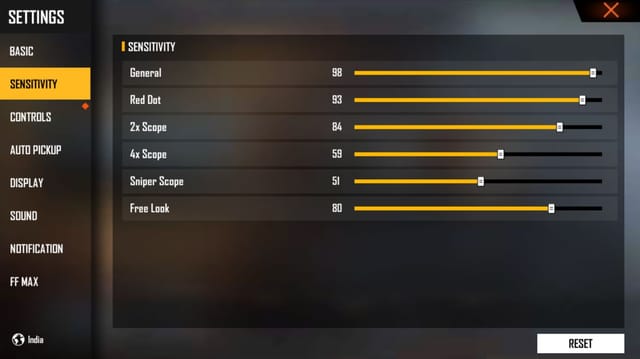
Open Free Fire and go to the main lobby. Tap the gear icon (Settings) in the top-right corner. Navigate to the ‘Sensitivity’ tab. On Samsung phones, you’ll see sliders for General, Red Dot, 2x Scope, 4x Scope, Sniper Scope, and Free Look. This is where all the magic happens.
Step 2: Set General Sensitivity
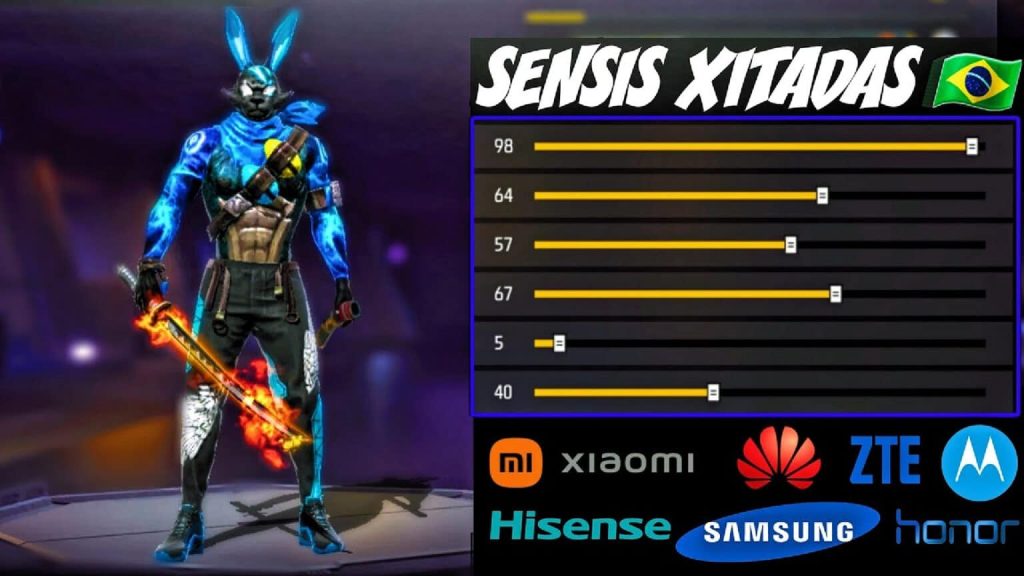
General sensitivity controls your camera movement when not scoped. Start with 85–90 if you use a high-refresh Samsung (120Hz), or 80–85 for 60Hz. Drag the slider and tap ‘Apply’. Then enter Training mode and practice running and turning. If you over-rotate, lower it by 2–3 points; if you feel sluggish, increase. Your goal is to track a moving target smoothly.

Step 3: Adjust Red Dot and Scope Sensitivities
Red Dot: Set to 70–75. This is your go-to for close to mid-range. For 2x Scope, go 60–65; for 4x Scope, 50–55. Sniper Scope should be lower, around 40–45, to avoid over-flicking. These values work well on Samsung screens because the touch latency is consistent. If you prefer movement friendly settings, you might bump the Red Dot to 80.
Step 4: Configure Free Look Sensitivity
Free Look is used when running or parachuting. Set it to 70–75. This lets you scan surroundings quickly without affecting your aim. On Samsung, keep it moderate – too high can cause dizziness when rotating the camera rapidly.
Step 5: Fine-Tune in Training Mode
Enter Training mode (the blue button on the main menu). Practice with different weapons – use a M4A1 for mid-range, MP40 for close combat, and AWM for sniping. Spend at least 5 minutes shooting at moving bots. Adjust each sensitivity by 1–2 points until it feels snappy but controllable. This step is crucial because every Samsung model has slightly different touch response. For a more systematic approach, check out the long-range sensitivity guide or the max sensitivity settings 2026 for extreme players.
Common Pitfalls
- Ignoring your phone’s refresh rate. If you have a 120Hz Samsung, using settings meant for 60Hz will make you over-rotate. Always test on your specific model.
- Over-adjusting. Changing multiple sliders at once will confuse your muscle memory. Tweak one setting at a time and test for 2–3 minutes.
- Forgetting to backup your settings. After you find your sweet spot, save a preset or screenshot the values. You can also use the guide on how to backup your settings to avoid losing them after updates.
Samsung phones have some of the best touch screens for gaming, but without the right sensitivity, even a S24 feels sluggish. These settings gave me a consistent 50% headshot rate in ranked.
Casual Gamer, Samsung Galaxy S23 user
Remember that sniping requires extra care. Check out the dedicated sniper scope sensitivity guide for finer control on your Samsung.
Where to Next
Now that you’ve dialed in your sensitivity, it’s time to practice. Explore our other guides for more tips: how to improve your movement, best HUD layouts for Samsung, and the ultimate aiming drills. If you ever switch phones, our Android-tested settings guide has you covered. Happy headshotting!



