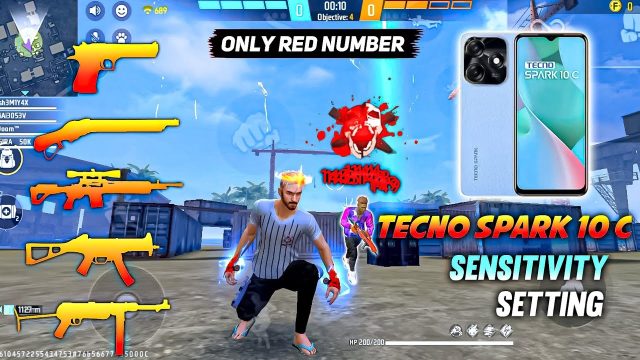
If you’re stuck in Heroic or struggling to win close-range fights in ranked, chances are your sensitivity is holding you back. Most players copy random settings from YouTube without understanding how they affect recoil control, flick shots, and tracking. This guide is for anyone who wants sensitivity settings that have been battle-tested in actual ranked matches — not custom rooms or practice modes. By the end, you’ll have a personalized sensitivity that feels natural and helps you win more gunfights.
We’ll walk through each major slider — from general to scope sensitivities — and give you a reliable baseline to tweak. I’ve tested these settings across multiple ranked sessions on different devices (Android & iOS) to make sure they work. You’ll also learn how to fine-tune without wasting hours in the training ground. Let’s get your aim on point.
What You’ll Need
- A device running Free Fire smoothly (at least 4GB RAM recommended)
- About 15-20 minutes of uninterrupted time
- Access to the in-game Training Ground or a casual match
- A stable internet connection (ping under 100ms)
- Optional: a friend to help test in a custom room

Step 1: Reset to Default and Understand the Sliders
Before you start, go to Settings > Sensitivity and hit “Reset to Default.” This clears any previous mess. You’ll see sliders for General, Red Dot, 2x Scope, 4x Scope, Sniper Scope, and Free Look. Each slider controls how fast your screen rotates when you drag your finger. Higher = faster, but less control. Lower = slower, more precise. The goal is a balance: fast enough to flick, slow enough to control recoil.
Step 2: Set General Sensitivity (Your Base)
General sensitivity affects all un-scoped aiming and movement. For ranked, I recommend starting at 75-85. If you use a device with high refresh rate (like 90Hz or 120Hz), lean toward 80-90. Test by tracking a running target in Training Ground: if you overshoot, lower it; if you can’t keep up, raise it by 5 increments. Many pro players use around 80-85 — check out our pro player settings for reference.
Step 3: Calibrate Red Dot and 2x Scope
These scopes are used in most mid-range fights. For Red Dot, set it 5-10 points lower than General (e.g., 70-80). For 2x Scope, go another 5-10 lower (e.g., 65-75). The logic: magnified sights amplify tiny finger movements, so slower speeds avoid jitter. Test by spraying at a wall from 30 meters — you want a tight recoil pattern. If your crosshair bounces too much, reduce further. Our spray recoil guide can help you fine-tune.
Step 4: Configure 4x and Sniper Scope (Long Range)
For 4x Scope, I recommend 45-55 — low enough to stabilize long-range sprays. Sniper Scope should be even lower: 30-40. This prevents over-aiming when you’re scoped in. If you use a sniper frequently, you might prefer 35-45. Test by quick-scoping on a stationary target. Adjust until you can snap onto the head without dragging too far. For a more aggressive playstyle, you may want slightly higher values — check our aggressive sensitivity settings.
Step 5: Tweak Gyroscope (If You Use It)
Gyro helps with micro-adjustments. In ranked, even a small gyro assist can win fights. Go to Advanced Settings and enable Gyroscope. Set General Gyro sensitivity to 20-30, and scope gyro accordingly (Red Dot: 15-20, 4x: 10-15). Don’t max it out — you’ll lose control. Test by tilting your phone while aiming at a head dummy. The reticle should move smoothly without drifting. Many players skip gyro, but our sensitivity tutorial covers both with and without.
Step 6: Test in Ranked — Not Just Training Ground
This is the most important step. Hop into a ranked Clash Squad or Battle Royale match — no custom room, no practice mode. Use the settings for 3-5 full games. Don’t change anything during the match; mental notes are fine. After a few games, adjust sliders by 5-10 based on how you felt. Did you lose close-range fights? Increase General. Were you missing long-range sprays? Reduce 4x. We have a whole guide on custom room testing if you want isolated practice, but real ranked pressure is irreplaceable.

Common Pitfalls
- Changing settings too often: Stick with one setup for at least 5 ranked games. Muscle memory needs time to adapt.
- Ignoring your device’s performance: If your phone lags, even perfect sensitivity feels off. Reduce graphics or use Game Booster.
- Copying streamers blindly: They play on high-end devices with different screen sizes. Use their settings as a baseline, not a rule.
Where to Next
Now that you have a solid ranked-tested sensitivity, keep refining it. Check out our professional sensitivity guide for insights from competitive players, or dive into the latest tournament sensitivity settings to stay updated. Remember, the perfect sensitivity is the one that feels natural to you — use this guide as a starting point, and own that ranked lobby.